

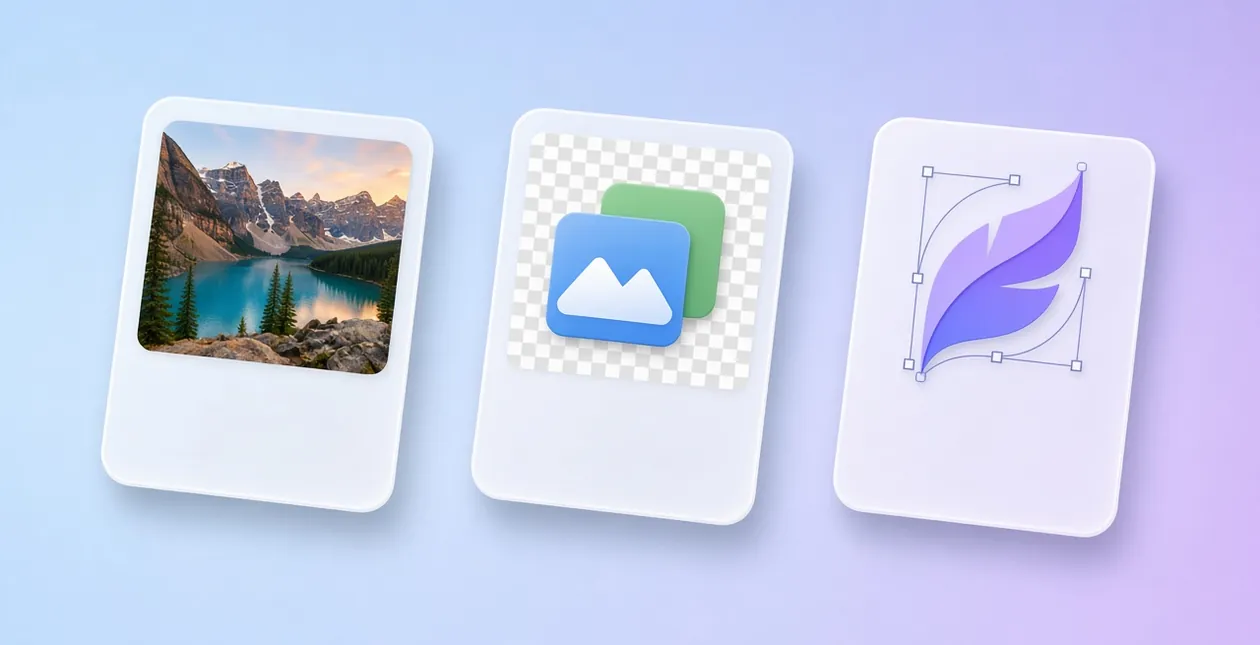
JPG vs PNG comes down to what’s in the picture: JPG for photos, PNG for screenshots and transparent graphics. SVG wins for logos and icons, and WebP beats both rasters on the web.
Our logo test: 30.6 KB as a JPG, 6.7 KB as a PNG, 258 bytes as an SVG.
How we checked: We read MDN, web.dev, Google’s WebP docs and the W3C specs (November 24, 2026), then exported one photo and one logo to each format and measured them. No user testing. How we review software
What’s the difference between JPG, PNG and SVG?
The first split is pixels versus instructions. JPG and PNG are raster formats: they store a grid of colored pixels.
SVG is a vector format: it stores drawing instructions, and the browser turns them into pixels at whatever size you need.
The second split is how a raster file gets smaller. Lossy compression throws detail away for good. Lossless compression packs the same pixels tighter, so nothing is lost.
- JPG (or JPEG) is lossy and has no transparency. It’s been the most widely used photo format since the standard arrived in 1992.
- PNG is lossless and supports full transparency. It was built as a patent-free replacement for GIF and became a W3C Recommendation in October 1996. The third edition followed in June 2025.
- SVG is an XML text file of shapes, lines and colors. The W3C published SVG 1.0 in 2001, and the current version is SVG 2.
MDN’s image format guide sums up the jobs: JPEG for photos, PNG when you need exact reproduction or transparency, SVG for icons and diagrams that must stay sharp at any size.
JPG vs PNG vs SVG: how do they compare?
Here are the four formats you’ll actually be choosing between, side by side.
| Format | What it is | Best for |
|---|---|---|
| JPG | Raster, lossy, solid background only | Photos, smooth gradients |
| PNG | Raster, lossless, transparent | Screenshots, cutouts, sharp text |
| SVG | Vector, transparent, sharp at any size | Logos, icons, diagrams |
| WebP | Raster, lossy or lossless, transparent | Photos and graphics on websites |
No single format wins every row, which is why “which is better?” has no answer until you know what the image is.
How big is the difference in real files?
Bigger than most guides suggest. We took a public-domain NASA photo from Apollo 11, resized it to 1,600 pixels wide and saved it four ways.
Then we drew a flat three-color logo at 800 by 800 pixels and did the same.
| Format | Photo, 1,600 px | Flat logo, 800 px |
|---|---|---|
| PNG | 2.69 MB | 6.7 KB |
| JPG (quality 80) | 492 KB | 30.6 KB (white background) |
| WebP | 367 KB (lossy) | 2.9 KB (lossless) |
| SVG | Not practical | 258 bytes |
Three things jump out:
- PNG is the wrong home for a photo. The PNG was about 5.5 times the size of the JPG for the same 1,600 pixels.
- JPG is the wrong home for a logo. The JPG was 4.6 times the size of the PNG, lost its transparent background and, zoomed in, showed faint compression speckles along the edges.
- SVG doesn’t grow. Doubling the logo to 1,600 pixels pushed the PNG to 18.8 KB. The SVG stayed at 258 bytes, because it’s the same instructions drawn bigger.
So the “JPG is small, PNG is big” rule only holds for photos. For flat graphics it flips.
When should you use JPG?
Use JPG for photographs and anything with soft, continuous tones: product shots, portraits, landscapes, blog hero photos. Lossy compression hides well in that kind of detail.
Photos from the royalty-free image sites we’ve covered are classic JPG jobs: resize them to the width you need, then export.
Here’s the catch: the loss stacks up. Wikipedia’s JPEG entry notes that some quality is lost every time a JPG is recompressed. Edit in a lossless format and export the JPG last.
Skip JPG when the image has:
- Transparency. JPEG has no alpha channel, so a transparent area gets filled with a solid color, usually white.
- Text, lines or flat color. MDN warns that lossy compression on diagrams and charts gives unsatisfactory results.
- More editing ahead. Keep a lossless master instead.
Is .jpeg different from .jpg? No. MDN lists both extensions under the same image/jpeg type. Same format, different spelling.
When should you use PNG?
Use PNG when every pixel has to stay exactly where you put it: screenshots, interface shots, charts, images with text, and anything that needs a see-through background.
PNG transparency is not on-or-off. web.dev’s PNG guide explains that each pixel can be set anywhere from fully transparent to fully opaque, which is how soft shadows and anti-aliased edges survive.
That’s why cutouts are PNG jobs. If you’ve just followed our guide to removing the background from an image, export a PNG or a WebP, never a JPG.
The same goes for files from the background remover tools we compared, and for transparent screens you drop into mockup generators.
What PNG doesn’t do well:
- Photos. web.dev says PNG is “almost never the right choice for photographic content”. Our 2.69 MB photo agrees.
- Print in CMYK. PNG doesn’t support CMYK, so print shops usually ask for a PDF. Our business card size guide covers the print setup.
- Logos at many sizes. A PNG is fixed at one pixel size. Blow it up and it blurs.
One more thing the export dialog won’t tell you: in Canva, a transparent background is a paid option.
Canva’s help center lists transparent downloads and SVG downloads among the options limited to Pro, Teams, Business, Education and Nonprofit plans. Our Canva review covers what the paid plans add.
SVG vs PNG: when is vector the better choice?
Pick SVG whenever the image is made of shapes rather than photographed detail: logos, icons, simple illustrations, diagrams and charts.
web.dev’s icon guide puts the advantage plainly: a PNG needs several versions at different sizes, while one SVG works at every size.
That makes SVG the right master file for a brand mark. You can export any PNG or JPG you need from it later, but you can’t go the other way without redrawing.
If you need to make or edit one, use a vector app from our vector graphics tools roundup. If you’re buying a logo, the logo design software guide shows which tools let you download vector files.
SVG has its own catches:
- It’s useless for photos. You can wrap a photo inside an SVG, but it’s still pixels underneath.
- Detail costs bytes. A simple icon is tiny, but a heavily detailed illustration can end up larger than a well-compressed raster version. Test both.
- It can carry code. SVG is XML, and it can include JavaScript, which opens the door to cross-site scripting. That’s one reason WordPress’s default upload list includes JPEG, PNG, WebP and AVIF but not SVG. Only allow SVG uploads from people you trust, and sanitize them.
An SVG can also sit straight in your HTML and be styled with CSS, which is a good exercise on one of the CSS practice sites we’ve listed.
Where does WebP fit, and should it replace JPG and PNG?
For images on a website, mostly yes. WebP does both jobs: lossy like JPG and lossless like PNG, with transparency in both modes.
Google’s WebP page says lossless WebP files are 26% smaller than PNGs, and lossy WebP files are 25-34% smaller than comparable JPEGs.
Our test landed in the same range. The WebP photo came in 25% smaller than the JPG, and a lossless WebP of the same photo was 37% smaller than the PNG.
Support is no longer the blocker. Safari added WebP in version 14 in September 2020, and web.dev lists WebP as supported in all modern browsers.
WordPress has accepted WebP uploads since version 5.8, as long as your host’s image library supports it.
Where WebP doesn’t win:
- Logos and icons. An SVG is still smaller and sharper.
- Your master files. Keep the original JPG, PNG or SVG for editing, and treat WebP as the copy you publish.
- Exact colors. web.dev notes that lossy WebP may not match an equivalent JPEG’s colors exactly. Check brand colors after converting.
MDN recommends AVIF alongside WebP for raster images. It’s worth testing on your own images, but WebP is the easier switch for most sites today.
Which export mistakes wreck image quality?
Saving a logo as a JPG. You get a white box instead of transparency and, in our test, a file 4.6 times bigger than the PNG.
Uploading a PNG photo straight from your phone or editor. Ours was 2.69 MB. A JPG or WebP at sensible quality does the same job at a fraction of the size.
Converting a JPG to PNG to “fix” it. The detail JPG threw away is gone. Converting just makes the file bigger.
Stretching a small raster logo. Ask for the SVG or the original vector file instead of upscaling a 200-pixel PNG.
Putting paragraphs of text inside an image. web.dev points out that text in images isn’t selectable, searchable or zoomable. Keep it in HTML.
Most of these happen at the export step in tools like Canva or Adobe Express. Our Adobe Express guide walks through its editor, and our color theory guide helps when brand colors look off after a conversion.
Image format FAQs
Is JPG or PNG better quality?
PNG keeps every pixel, so it is the higher-quality format in a strict sense. For photos the difference is usually invisible at a sensible JPG quality, while the PNG is several times larger. In the JPG vs PNG choice, quality only favors PNG for text, lines, flat color and transparency.
Is JPEG the same as JPG?
Yes. JPG and JPEG are two file extensions for the same format, and both use the image/jpeg media type. You can rename one to the other without changing a single pixel. The same goes for the rarer .jpe and .jfif extensions, which are also JPEG files underneath.
Why does my transparent logo have a white background?
It was almost certainly saved as a JPG, which has no transparency, so the empty area gets filled with a solid color. Re-export it as PNG, WebP or SVG with the transparent background option switched on. In Canva that option needs a paid plan.
Can you convert a PNG or JPG to SVG?
Only by tracing it. A vector app can trace the shapes in a raster image and redraw them as paths, which works well for simple, high-contrast logos and poorly for photos. Saving a PNG with an .svg extension does not make it a vector. For a clean result, ask for the original vector file.
What is the best image format for a logo?
SVG is the best master format for a logo because it stays sharp at every size and is usually tiny. Keep PNG copies with transparent backgrounds for apps, profiles and documents that refuse SVG, and a PDF or the original vector file for anything going to a printer.
Which image format is best for printing?
Usually none of these three. Print shops such as FedEx Office and MOO ask for PDF files, MOO in CMYK, and PNG doesn’t support CMYK at all. If a printer does accept image files, send a high-resolution PNG or a maximum-quality JPG, and check their spec sheet before you export.
Does image format affect SEO?
Not directly. Google Images supports JPEG, PNG, WebP, SVG, AVIF, GIF and BMP, so all of them can rank. Format matters indirectly, because smaller files load faster. Descriptive file names, alt text and an image placed near relevant text matter more than the extension.
Should screenshots be PNG or JPG?
Use PNG, or lossless WebP, for screenshots of text, menus and interfaces, because MDN notes that lossy compression leaves visible blur and colored fringes around text and sharp edges. A screenshot that is mostly a photo or a video frame behaves like a photo, so a JPG is fine there.
So which format should you export?
Start with what the image is, then where it’s going. That settles JPG vs PNG in seconds.
- A photo for a website? WebP at around quality 80, with JPG as the fallback.
- A screenshot, chart or cutout? PNG, or lossless WebP for the web.
- A logo or icon? SVG as the master, with PNG copies for places that won’t take SVG.
- Something for print? Ask the printer, and expect a PDF rather than a PNG or JPG.
Our pick for most readers: keep a lossless master of everything, and publish WebP for raster images and SVG for logos and icons.
Ready to export? Our Canva review explains which download formats each plan includes.

[…] and Adobe’s own advice for Photoshop is to save as PSD or PNG to keep transparency. Our JPG vs PNG vs SVG guide covers when WebP or SVG is the better […]
[…] feed plenty of other jobs, as long as you save them in a format that keeps the transparency (our JPG vs PNG vs SVG guide explains which). Transparent logos pair well with the online logo design tools we compared. […]