

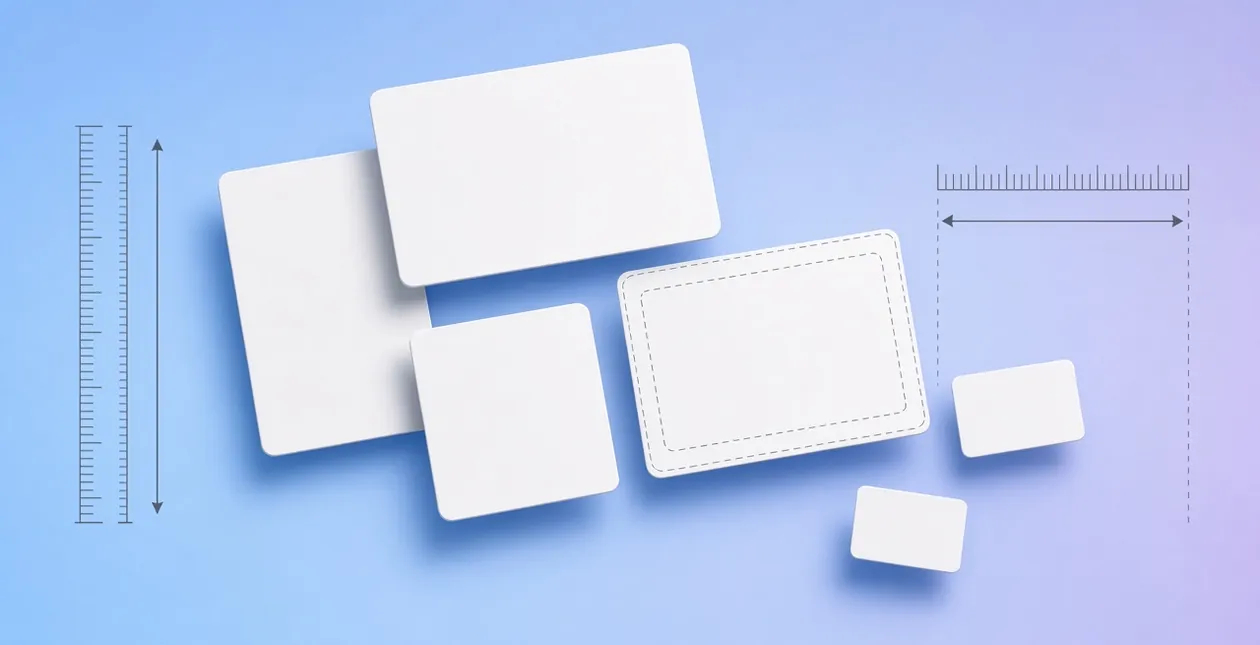
The standard business card size is 3.5 x 2 inches (88.9 x 50.8 mm) in the US and Canada. Most of Europe uses 85 x 55 mm, and India uses either 89 x 51 mm or 90 x 55 mm.
Your file needs to be slightly bigger than the card. Add bleed on every side, usually 3 mm per side, and let your printer’s own template settle the exact number.
What size is a standard business card?
It depends on where the card gets printed and handed out. These are the finished sizes, after the card is cut:
- US and Canada: 3.5 x 2 in (88.9 x 50.8 mm)
- UK and most of Western Europe: 85 x 55 mm (3.35 x 2.17 in)
- India: 89 x 51 mm or 90 x 55 mm, with 91 x 55 mm also on sale
- Japan: 91 x 55 mm
- Australia and New Zealand: 90 x 55 mm, though Vistaprint Australia cuts 91 x 55 mm
- China: 90 x 54 mm
Here’s the catch: none of these is a formal standard. Wikipedia’s business card entry puts it bluntly: “There is no standard for the business card dimensions.”
Vistaprint’s own US size guide calls the regional sizes “conventions rather than universal rules”. So the chart is where you start, and your printer’s template is where you finish.
How we checked: Every size and bleed figure here comes from a printer’s spec page or an official help page, all opened on November 23, 2026.
Our sources: FedEx Office, Vistaprint (US, India and Australia), MOO UK, Raksul in Japan, Print Luxe in New Zealand, Meraprint in India and the Canva Help Center.
We didn’t run a print test for this guide, so it’s research-based.
Printers update their templates, so confirm the numbers on your printer’s page before you export. How we review software
Some links on this page are affiliate links. If you buy through them, we may earn a commission at no extra cost to you. It never changes our scores. How we make money.
Business card size by country: which one applies to you?
Pick the size your recipients are used to. Vistaprint’s guide makes the practical point: a familiar regional format fits local wallets and cardholders.
| Region | Finished size (mm) | Inches | Source |
|---|---|---|---|
| US and Canada | 88.9 x 50.8 | 3.5 x 2 | FedEx Office, Vistaprint US |
| UK and Western Europe | 85 x 55 (MOO cuts 84 x 55) | 3.35 x 2.17 | Vistaprint US, MOO UK |
| India | 89 x 51, 90 x 55 or 91 x 55 | 3.5 x 2 to 3.58 x 2.17 | Vistaprint India, Meraprint |
| Japan | 91 x 55 | 3.58 x 2.17 | Raksul |
| Australia | 90 x 55 (Vistaprint AU cuts 91 x 55) | 3.54 x 2.17 | Vistaprint US, Vistaprint Australia |
| New Zealand | 90 x 55 | 3.54 x 2.17 | Print Luxe |
| China | 90 x 54 | 3.54 x 2.13 | Vistaprint US |
| Credit card (ISO/IEC 7810 ID-1) | 85.60 x 53.98 | 3.37 x 2.13 | ISO/IEC 7810 |
India has two everyday sizes, not one. Vistaprint India sells its Standard visiting card at 8.9 x 5.1 cm, the US size, and a Classic card at 9.1 x 5.5 cm.
Meraprint lists its 300 GSM visiting card at 90 x 55 mm. If you’re printing locally, ask the shop which one its cutter is set to before you open a template.
What about the credit card size? It’s close to the European card, which is why both slide into the same wallet slot.
But under ISO/IEC 7810 a credit card has rounded corners with a 2.88 to 3.48 mm radius. None of the printers we checked sells business cards at exactly 85.60 x 53.98 mm.
What are bleed and safe area on a business card?
Every print file has three outlines. In plain English:
- Trim line: where the blade cuts. This is the card size you quote, such as 90 x 55 mm.
- Bleed: the extra strip outside the trim line. Backgrounds and photos run into it, and it gets cut off.
- Safe area: a margin inside the trim line. Names, phone numbers, logos and QR codes stay inside it.
Why bother? Cards are cut in stacks. Raksul’s data guide says the weight of the blade shifts the paper a little. So it asks for 3 mm of bleed and wants text at least 3 mm inside the cut.
Skip the bleed and you get a thin white sliver on one edge. Skip the safe area and your email address loses a letter.
The math is simple: add the bleed twice to each side. A 90 x 55 mm card with 3 mm bleed becomes a 96 x 61 mm file, which is exactly what Print Luxe asks for.
A US card with 0.125-inch bleed becomes 3.75 x 2.25 inches, FedEx Office’s upload size.
Why does every printer ask for a different file size?
Because bleed isn’t standard either. We put the business card spec pages side by side, and the bleed per side runs from about 1.4 mm to 3.175 mm:
| Printer or app | Trim size | File size with bleed | Bleed per side |
|---|---|---|---|
| FedEx Office (US) | 3.5 x 2 in | 3.75 x 2.25 in | 0.125 in (3.175 mm) |
| Vistaprint US | 3.5 x 2 in | 3.61 x 2.11 in | 0.055 in (about 1.4 mm) |
| MOO UK | 84 x 55 mm | 88 x 59 mm | 2 mm |
| Vistaprint Australia | 91 x 55 mm | 94 x 58 mm | 1.5 mm |
| Raksul (Japan) | 91 x 55 mm | 97 x 61 mm | 3 mm |
| Print Luxe (New Zealand) | 90 x 55 mm | 96 x 61 mm | 3 mm |
| Canva (print bleed on) | Your design size | Design size + 6.35 mm each way | 0.125 in (3.175 mm), fixed |
What the chart doesn’t say: a file built for one printer can be the wrong size for another.
Canva’s bleed is fixed at 0.125 inches and can’t be adjusted. So a Canva PDF of a US card comes out at 3.75 x 2.25 inches.
Vistaprint US wants 3.61 x 2.11 inches. That’s why Vistaprint’s own guide tells you to check the printer’s template before you add bleed or export.
Common mistakes that ruin a print run: no bleed, a thin border near the edge, or a phone number 1 mm from the trim. So is designing at 85 x 55 mm for a 90 x 55 cutter.
Download the printer’s template first, then design on top of it.
How far in should text sit? The pages above ask for anything from 2 mm (MOO) to 3 mm (Raksul), and Print Luxe suggests 5 mm for business cards.
Keeping text about 5 mm inside the trim clears every printer in the table.
Which DPI and color mode should a print file use?
Use 300 DPI and CMYK, and export a PDF. That’s the common ground across the printers we checked:
- Resolution: FedEx Office asks for 300 dpi or higher, and MOO wants photos at 300 dpi or more.
- Color: MOO’s template help page says to use CMYK with no spot colors. Canva tells print customers to use CMYK colors and proof before ordering.
- File type: PDF is FedEx’s preferred format. MOO recommends saving with the PDF/X-1a:2001 preset.
- Black text: MOO asks for 100% K black rather than rich black, which keeps small type crisp.
- Small details: text at 8pt or larger and lines at 0.5pt or thicker (MOO). Raksul accepts 6pt text and 0.3pt lines.
Need pixels for a raster editor? Multiply inches by 300. A US card is 1050 x 600 pixels at 300 DPI, or 1125 x 675 with FedEx-style bleed.
A 90 x 55 mm card is about 1063 x 650 pixels, and 1134 x 720 with 3 mm bleed.
Logos should still be vector files where you can manage it. Our guide to vector graphics tools covers the apps that export clean SVG and PDF.
How do you set up a business card file in Canva or Illustrator?
Set the page to the trim size, then add bleed. The steps below follow each app’s own help pages.
Canva
- Create a custom-size design at your card’s trim size, for example 90 x 55 mm or 3.5 x 2 in.
- Open File, then Rulers and guides, and turn on Show print bleed. A dashed border appears near the edges.
- Stretch the background and any edge-to-edge photo past that border. Turn on Show margins too, and keep text inside them.
- Go to Share, then Download, pick PDF with the Print preset, and switch on Crop marks and bleed under Advanced Settings (it’s off by default).
Canva’s bleed is always 3.175 mm per side. What if your printer wants less?
Vistaprint’s guide suggests the other route: make a custom design at the printer’s full-bleed size, which is 3.61 x 2.11 in for Vistaprint US.
For more on the editor itself, see our Canva review.
Adobe Illustrator
- Choose File, then New, and open the Print tab of the New Document dialog.
- In the Preset Details pane, set the width and height to the trim size and type your printer’s bleed into all four bleed fields.
- Set the color mode to CMYK and raster effects to 300 PPI, as Vistaprint’s setup notes recommend.
- Extend backgrounds to the bleed line, keep text inside your safe margin, then save as PDF with the preset your printer names.
Adobe’s own bleed help page ends with the right advice: consult your print provider for its requirements.
The same rule works in Affinity, InDesign or any other layout app: page size equals trim size, and the bleed field holds your printer’s number.
Vertical, square and mini cards: when do odd sizes work?
Vertical cards are the same size turned on end, so a 3.5 x 2 in card becomes 2 x 3.5 in. They suit a tall logo or a short, centered layout, and they still fit every wallet slot.
Square cards vary by printer. Vistaprint US cuts 63.7 x 63.7 mm, MOO and Vistaprint Australia cut 65 x 65 mm, and Raksul cuts 55 x 55 mm.
They work for photographers and product brands with a strong mark. Vistaprint notes they’re less familiar in wallets, so expect them on a desk rather than in a cardholder.
Mini cards have no standard at all. MOO’s mini is 70 x 28 mm, and Vistaprint quotes a common 76.2 x 30 mm format. They fit a name, a URL and a QR code, and not much else.
Rounded corners and folded cards: rounded corners keep the normal size; Vistaprint uses a quarter-inch radius.
Raksul asks for a plain rectangular file even when you order rounded corners, because the corners are cut after printing.
Folded cards finish at the normal size but print flat at double height, such as Raksul’s 91 x 110 mm open card.
Which tool should you use to design the card?
Most people don’t need design software for one card. Our roundup of the best business card maker tools compares the template-based options and which ones export a print PDF with bleed.
Canva is the easy default, and our Adobe Express guide covers the free alternative if you already have an Adobe ID.
No logo yet? Sort that first, because a card built around a placeholder gets reprinted.
Our list of online logo design software flags which makers give you SVG files. Our list of color palette sites helps you settle on brand colors.
Designers who want full control will be happier in a vector app. Our CorelDRAW Graphics Suite review covers one Illustrator alternative.
Before you order 500 cards, drop the design into a mockup. Our picks of mockup generator tools show the card in a hand or on a desk, which makes a cramped layout obvious fast.
Business card size FAQs
What is the business card size in pixels?
Pixels depend on resolution, so work at 300 DPI. A US card at 3.5 x 2 inches is 1050 x 600 pixels, or 1125 x 675 with 0.125-inch bleed. A 90 x 55 mm card is about 1063 x 650 pixels, and 1134 x 720 with 3 mm bleed on every side.
Is a business card the same size as a credit card?
Close, but not the same. Credit cards follow the ISO/IEC 7810 ID-1 format of 85.60 x 53.98 mm with rounded corners. The common European card is 85 x 55 mm and the US card is 88.9 x 50.8 mm, so both fit the same wallet slots without matching exactly.
What is the visiting card size in India in cm?
There’s no single Indian standard. Vistaprint India sells its Standard card at 8.9 x 5.1 cm and its Classic card at 9.1 x 5.5 cm, while other Indian printers such as Meraprint print 9 x 5.5 cm. Ask your printer which one their template uses before you design.
How thick should a business card be?
Most printers sell 300 to 400 gsm stock. Vistaprint India’s standard cards use 350 gsm and its Premium Plus option uses 400 gsm. US printers quote thickness in points instead, with Vistaprint offering 14pt, 18pt and 32pt stock. Thicker stock feels sturdier but usually costs more.
How big should a QR code be on a business card?
Vistaprint recommends at least 0.8 x 0.8 inches, about 20 x 20 mm, kept inside the safe area. Use a dark code on a plain light background, leave its quiet zone empty, and test the printed size on a few phones before you order a full run.
What is the smallest font size for a business card?
MOO and Vistaprint both put the practical minimum at 8pt for contact details. Raksul in Japan accepts 6pt, but small type in thin weights is hard to read at that size. Keep names and job titles at 10pt or larger and print a test page at 100% scale.
Do I need crop marks on my business card file?
Only if your printer asks for them. MOO says it adds crop marks itself, so its files go in without them. Canva leaves crop marks off by default in its PDF Print download, and you switch them on under Advanced Settings. When in doubt, send a PDF with bleed and no marks, then check the printer’s upload notes.
Can I print a US-size card in Europe or India?
Yes, as long as your printer offers it. Vistaprint India’s Standard card is exactly 3.5 x 2 inches, and Raksul in Japan sells an 89 x 51 mm Western size next to its 91 x 55 mm card. The card will just look a little narrower than local cards in a holder.
So which business card size should you print?
- Print 3.5 x 2 inches if you’re in the US or Canada, or you’re ordering Vistaprint India’s Standard card, because that’s the size local printers and holders expect.
- Print 85 x 55 mm in the UK and most of Europe, because it’s the regional default (MOO’s own card is 84 x 55).
- Print 90 x 55 mm in India, Australia or New Zealand if your local printer offers it, and 91 x 55 mm for Japan.
- Choose square or mini only if the card is a brand piece, not a contact card people file away.
Our pick for most readers: take the business card size your printer lists, add that printer’s bleed, keep text 5 mm in, and export a CMYK PDF at 300 DPI. Download their template before you design, not after.



[…] a standard US card is 3.5 by 2 inches. Other countries use other sizes (see our business card size chart by country), so set the size before you design, not […]