

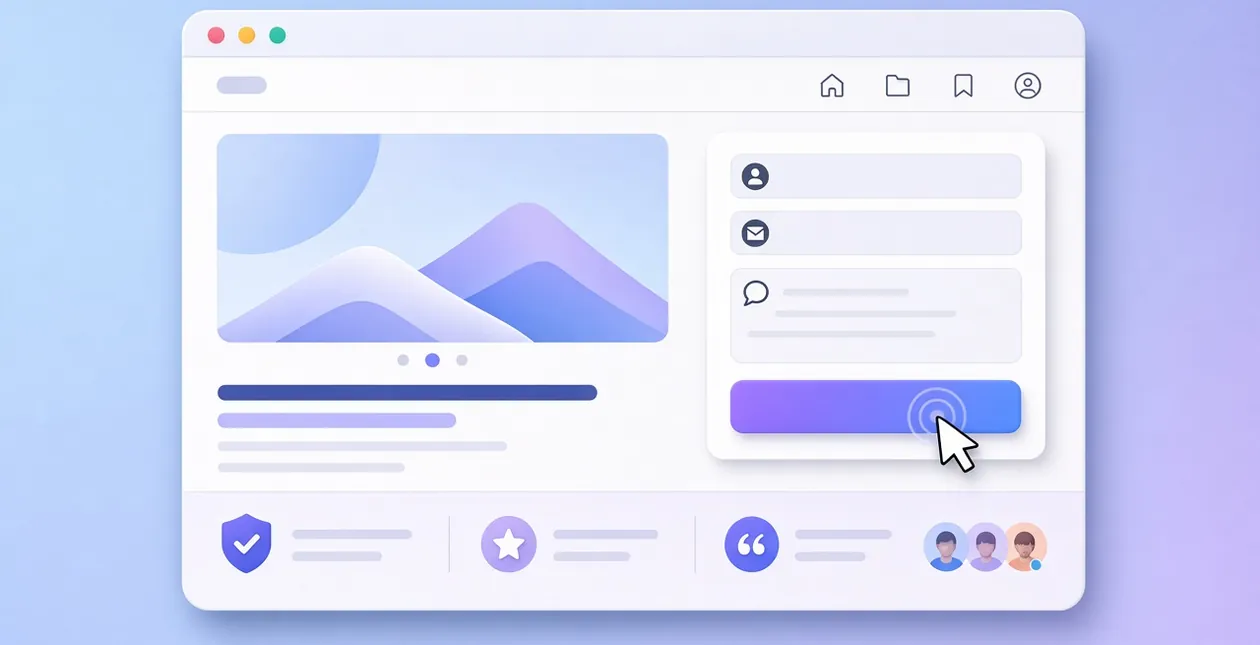
The short answer to what is a landing page: it’s one web page with one job. Visitors arrive from an ad, an email or a post, then sign up, book or buy.
Creating a landing page takes 7 steps, and you don’t need a new tool to do it. The step that matters most costs nothing: repeat the promise that earned the click.
What is a landing page, and how is it different from a homepage?
A landing page is a standalone page built for one campaign and one action. Unbounce defines it as the page visitors “land” on after clicking a link in an email or an ad, designed around a single call to action.
A homepage does the opposite. It introduces the whole business and invites people to explore, so it’s full of links. On a campaign page, every one of those links is a way out.
| Landing page | Homepage or website | |
|---|---|---|
| Goal | One action (sign up, buy, book) | Explain the business, let people explore |
| Traffic | A specific ad, email or post | Everyone: search, direct, referrals |
| Navigation | Usually none, or a logo only | Full menu, footer links, blog |
| Copy | Matches one offer and one audience | Covers every product and reader |
| Success measure | Conversion rate for that campaign | Many goals across many pages |
So is it landing page vs website? Not really. A landing page usually lives on your website, just without the menu. You need a full site for everything else people want to know about you.
What types of landing pages are there?
Unbounce splits them into two main kinds:
- Lead generation pages (also called lead capture or squeeze pages). The call to action is a form, often in exchange for something free like an ebook, a webinar seat or a quote.
- Click-through pages. The call to action is a button that sends visitors into a checkout, a free-trial sign-up or an app store.
Pick the type before you design anything. A form and a buy button need different amounts of persuasion above them.
How we checked: We built this guide from official documentation: Google Ads Help, Google Analytics Help, web.dev, Google Search Central, Elementor’s help center, WordPress.org, Unbounce and the US Code of Federal Regulations, all read on November 27, 2026.
We didn’t build or A/B test a landing page for this article, so it’s research-based, not a hands-on test. How we review software
What does a landing page that converts have in it?
Most good landing pages share the same seven parts, top to bottom. Elementor’s own landing page tutorial uses a similar order: hero with a form, details, testimonials, then a closing call to action.
- A headline that matches the click. Same offer, same words as the ad or email.
- A subheadline that says who it’s for and what they get, in one sentence.
- A hero image or short video that shows the product or the result, not a generic stock photo.
- One call to action, visible without scrolling on a phone. A button label like “Get the checklist” beats “Submit”.
- A short form (for lead pages) that asks only for what you’ll use right away.
- Real proof: customer quotes, logos, ratings or results you can back up.
- Answers to objections, then the same call to action again at the bottom.
Why does the headline match matter so much? Google Ads Help says your landing page should closely match your ad and keywords, and mirror the ad’s call to action.
If the ad offers a free tour, the page should lead with the sign-up form for that tour.
Proof has to be real. In the US, the FTC’s rule on reviews and testimonials (16 CFR 465.2) makes it a deceptive practice to write a testimonial from someone who doesn’t exist or never used the product.
No real quotes yet? Use a guarantee, a clear refund policy or a short demo instead.
Design still matters, but it serves the message. A tight color palette with one contrasting button color makes the call to action easy to spot.
How to create a landing page in 7 steps
Here’s how to create a landing page in any tool, from a WordPress page to a paid builder.
- Write the goal in one sentence. “This page gets freelance designers to book a 15-minute call.” If you can’t write it, the page isn’t ready.
- Copy the promise from the traffic source. Paste the ad headline or email subject into your draft and build the page headline from it.
- Draft the copy before the design. Headline, subheadline, three benefits, proof, objections, CTA. Plain text in a doc first.
- Build the page without exits. Remove the main menu, sidebar and footer links. Keep only legal links like your privacy policy.
- Add the form or button, then label it. W3C’s forms tutorial says every form field needs a label. Don’t rely on placeholder text alone, because it disappears as people type.
- Set up tracking before launch. Mark the sign-up or purchase as a key event in Google Analytics and tag your links with UTM parameters (more on both below).
- Test it on a real phone, then publish. Fill in the form yourself, check the thank-you page loads and the confirmation email arrives.
Step 2 is the one people skip. It’s also free, and it’s what Google’s landing page experience rating looks at: how relevant and useful the page is to the people who click.
On many landing pages the hero image is the largest thing on screen, so it’s often what Largest Contentful Paint measures.
Export the hero as WebP or a compressed JPG at the size it displays (our JPG vs PNG vs SVG guide explains which format to use).
How do you build a landing page in WordPress?
If your site already runs on WordPress, you can build a landing page as a normal page. The trick is removing the theme’s header and footer.
With Elementor: open the page in Elementor, go to Page Settings and set Page Layout to Elementor Canvas. Elementor’s help page says Canvas removes the site’s header, footer and sidebars, and names landing pages as the main use.
Here’s the catch: the Form widget is Elementor Pro only, according to Elementor’s landing page tutorial. On the free version, you’ll need a separate form plugin or an embed from your email tool.
And skip Elementor’s old “Landing Pages” menu. Its help page says that feature is deprecated as of Elementor Pro 3.27. A regular page on Canvas does the same job.
Deciding whether Pro is worth it? Our Elementor review covers what Pro adds. If you need extra widgets like countdowns or pricing tables, compare the best addons for Elementor before you stack plugins.
With the block editor: block themes let you create a custom template without the header and assign it to one page. The WordPress.org Template Editor docs walk through creating and assigning that template.
Some themes also ship a blank or “no header” template. If you’re choosing a theme for a product site, our SaaS WordPress themes roundup notes which ones suit marketing pages.
How do you build one with a no-code builder?
Dedicated landing page builders give you templates, hosted pages and built-in A/B testing. You pay a subscription, and testing is usually the part that costs more.
- Unbounce is built around paid-ad pages and testing. Our Unbounce review goes through the builder.
- Leadpages says traffic is unlimited on every plan, which suits small teams collecting leads. See our Leadpages review.
- Instapage is aimed at ad teams running many campaigns. Details in our Instapage review.
- Landingi and Swipe Pages are two more to compare; see our Landingi review and our Swipe Pages review, which covers its mobile-first templates.
- Carrd builds one-page sites. Its free plan covers up to three sites; a custom domain needs Pro.
Before you pay for a builder, check which plan includes A/B testing. In our no-code landing page builders comparison, testing starts on Unbounce’s Experiment plan, Leadpages’ Grow plan and Instapage’s Optimize plan, not the entry tiers.
Need a full multi-page site rather than one campaign page? A website builder fits better; our no-code website builders guide compares them.
Good to know: Google used to give away a free A/B testing tool. Google Optimize shut down on September 30, 2023. On WordPress, testing now means a third-party tool or a builder plan that includes it.
How do you know if your landing page is working?
Pick one number before launch: the conversion rate for the page’s single goal. Everything else explains why that number moves.
- Track the action as a key event. In GA4, any event can be marked as a key event. The Landing pages report then shows a Key events column for each page.
- Tag every link you send. UTM parameters like utm_source, utm_medium and utm_campaign tell GA4 which ad or email brought each visitor. Use utm_content to tell two buttons in one email apart.
- Check speed on phones. web.dev sets “good” at a Largest Contentful Paint within 2.5 seconds, Interaction to Next Paint of 200 ms or less and Cumulative Layout Shift of 0.1 or less. Test with PageSpeed Insights.
- Running Google Ads? Add the Landing Page Exp. column. Google’s Quality Score page rates it Above average, Average or Below average against other advertisers over the last 90 days.
Then test one change at a time: the headline, the hero image or the form length. Change three things at once and you won’t know which one worked.
What’s a good conversion rate? There’s no honest universal number. It depends on the offer, the price and how warm the traffic is. Your own first month is the benchmark to beat.
Which landing page mistakes kill conversions?
Common mistakes: sending ad clicks to the homepage, leaving the full menu in place, and a headline that doesn’t match the ad.
Close behind: two different calls to action, a form that asks for a phone number you’ll never call, and a hero image that takes seconds to load on mobile.
Pop-ups are another trap. Google Ads Help tells advertisers to avoid cluttering the page with too many ads or pop-ups.
Then there’s the “set and forget” problem. An offer ends, the page stays live, and visitors land on a dead promo. Put an end date in your calendar the day you publish.
One last check: should the page appear in Google at all? Ad-only variants often shouldn’t. Google Search Central says a noindex tag keeps a page out of results, but only if robots.txt doesn’t block Google from seeing that tag.
Landing page FAQs
Can a landing page be part of my existing website?
Yes, and it usually is. A landing page can sit on your own domain, such as yoursite.com/free-guide, while hiding the main menu and footer. Visitors get a focused page, and you keep the traffic and the tracking on one site instead of splitting them across tools.
Should a landing page have navigation?
Usually not. A landing page works best when the only choices are to take the action or leave. Keep your logo, and keep legal links like the privacy policy in a small footer. Remove the main menu, sidebar and blog links, because each one is an exit from the offer.
Should landing pages be indexed by Google?
It depends on the page. A landing page for an evergreen offer can rank like any other page. Short-lived ad variants and near-duplicate test pages are often better with a noindex tag. Don’t block those pages in robots.txt, or Google can’t see the noindex tag.
How long should a landing page be?
As long as the offer needs. A free checklist can work with a headline, three benefits and a form. A pricier product needs more proof and more answers to objections before people commit. Write until the main questions are answered, then stop and repeat the call to action.
Can I create a landing page for free?
Yes. On WordPress you can use a block theme template without the header, plus a free form embed from your email tool. Carrd’s free plan covers up to three one-page sites. Free routes usually lack built-in A/B testing, and custom domains often need a paid plan.
How many calls to action should a landing page have?
One goal, but you can show the button more than once. On a long page, repeat the same call to action after the proof and again at the bottom. What hurts is offering different actions, such as a demo, a newsletter and a download, which split attention.
What is a good landing page conversion rate?
There isn’t one honest universal number. Conversion rates swing with the offer, the price and how warm the traffic is, so a free download and a paid product can’t be compared. Measure your own first month, then judge every change against that baseline.
What is a landing page in Google Analytics?
It means something different there. In GA4, the Landing page report lists the first page viewed in each session, whatever that page is. Your homepage or a blog post can top that report. A marketing landing page is a page built for one campaign and one action.
What is the difference between a landing page and a squeeze page?
A squeeze page is one kind of landing page. Unbounce uses the term for lead generation pages whose call to action is a form, often trading something free for an email address. A click-through landing page uses a button instead and sends visitors to a checkout or sign-up.
Which route should you take for your first landing page?
Now you know what a landing page is and what goes on one. The right tool depends on what you already pay for and whether you need testing.
- Already on WordPress with Elementor Pro: build a page on Elementor Canvas, because you already have the form widget and the hosting.
- On WordPress without Pro: use a block theme template with no header and an embedded form from your email tool, because it costs nothing extra.
- Running paid ads and planning to test: choose a dedicated builder, because testing is built in. Budget for the plan that includes it (see our landing page builder comparison).
- One quick launch page, no website yet: start with a one-page builder like Carrd, because the free plan gets a page live today.
Whichever route you pick, write the goal in one sentence and copy your ad’s promise into the headline first. That step works in every tool.




[…] UI design inspiration sites before you open the editor. Not sure what the page itself needs? Our landing page guide covers the sections that convert and the 7 build […]