

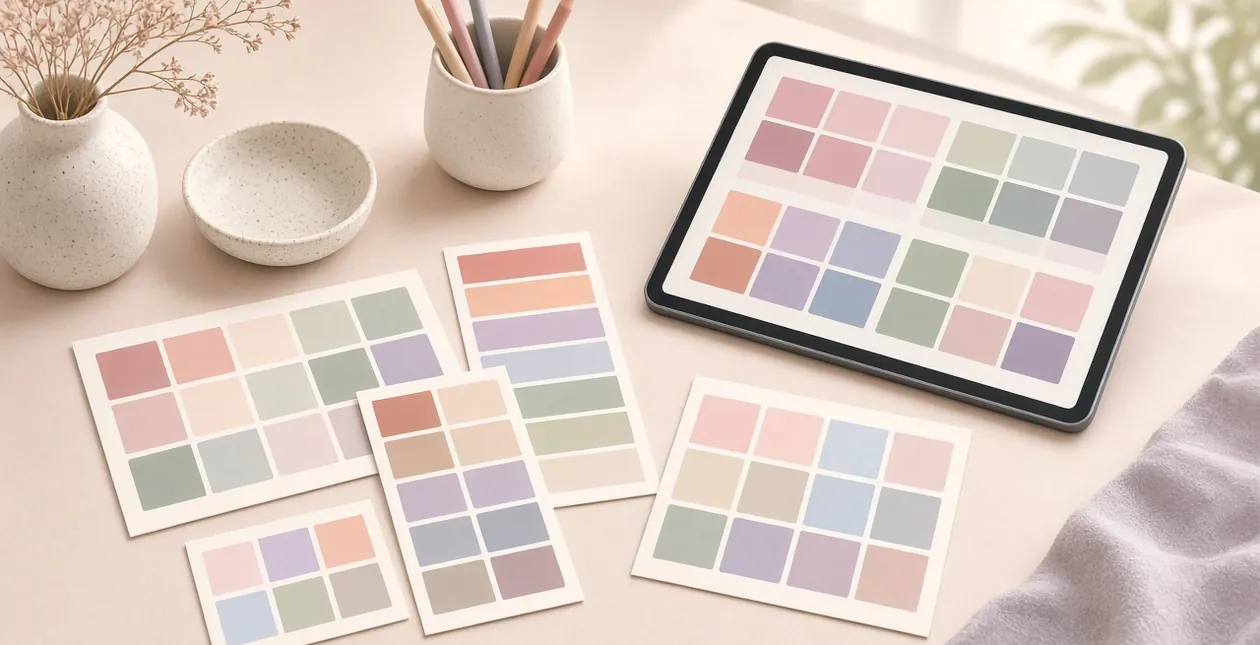
Nine of the best color palette sites for designers are free to use every day, including Coolors, Adobe Color, Color Hunt and Khroma.
The only paid upgrade most people meet is Coolors Pro. Its public pricing page lists Pro features, but the dollar amount sits behind account checkout, so we do not invent a number here.
We opened each site in November 2026 and checked what you can do without paying. This is a research roundup, not a studio test of brand systems.
One AI tool trains on colors you like; another pulls palettes from a single seed hex.
Which color palette site should you open first?
- Best overall generator: Coolors. Fast spacebar palettes, free forever, optional Pro.
- Best for Adobe users: Adobe Color. Wheel, extract and accessibility in one free account.
- Best curated gallery: Color Hunt. Ready-made four-color sets.
- Best AI taste match: Khroma. Trains on colors you vote for.
- Best from a seed color: ColorSpace. Gradients and scales from one hex.
- Best Material starters: Material Palette. Material-style pairs.
How we picked: We loaded each site on November 5, 2026 and noted free limits, export options and whether a paid plan is advertised.
We did not ship a client brand system with these tools for this update.
We dropped the old standalone “AI Colors” bookmark because it now redirects to a BairesDev tools page. How we review software
How do the color palette sites compare?
| Site | Free? | Paid upgrade | Best for |
|---|---|---|---|
| Coolors | Yes, no time limit | Pro (price via account checkout) | Daily palette generation |
| Adobe Color | Yes with Adobe ID | Adobe CC if you need apps | Accessibility + extract |
| Color Hunt | Yes | None listed | Browsing ready palettes |
| Khroma | Yes | None listed | AI taste training |
| ColorMagic | Yes (ads) | Account to save favorites | Prompt-based AI palettes |
| Huemint | Yes | None listed on home | Brand/UI AI palettes |
| ColorSpace | Yes | None listed | Scales from one color |
| Material Palette | Yes | None listed | Material-style UI colors |
The best color palette sites, one by one
Coolors: still the fastest free generator
Coolors pricing says the free plan has no time limit. You get ready schemes, contrast checks and basic generation. Pro adds AI, unlimited saves, exports and no ads.

Best for: daily ideation. Not ideal for: locked brand docs if you refuse any account. Pair exports with Figma alternatives or Figma itself.
Adobe Color: wheel, extract and accessibility
Adobe Color is free with an Adobe ID. Use the color wheel, extract palettes from images, browse trends and run accessibility contrast checks.

Best for: Creative Cloud users. Not ideal for: people who will not create an Adobe account. For photo cleanup before extract, see our Adobe Express guide.
Color Hunt: curated four-color sets
Color Hunt is a free gallery of four-swatch palettes. Browse popular, random or tagged sets and copy hex codes.

Best for: moodboarding fast. Not ideal for: algorithmic scales. Drop favorites next to UX/UI inspiration sites.
Khroma: AI that learns your taste
Khroma asks you to vote on colors, then generates unlimited combinations from what you liked. It is free to use in the browser.

Best for: discovering personal ranges. Not ideal for: strict brand hex lists from a client PDF.
ColorMagic: prompt-friendly AI palettes
ColorMagic generates palettes with AI and is free with ads. Saving favorites needs a free account per their about notes.

Best for: keyword-to-palette experiments. Not ideal for: ad-free deep work sessions.
Huemint: AI for brands and UI mock contexts
Huemint generates palettes aimed at branding and UI contexts. The site is free to explore when we checked.

Best for: seeing colors on mock UI. Not ideal for: print-only CMYK workflows. For logos after you lock colors, see logo design tools and our Canva review.
ColorSpace: scales from one seed hex
ColorSpace (mycolor.space) builds palettes and gradients from a single starting color. Free, no account required for basic use.

Best for: expanding a brand primary. Not ideal for: multi-brand libraries. Test contrast, then practice CSS variables on CSS practice sites.
Material Palette: Material-style starters
Material Palette helps you pick primary and accent colors in a Material Design style. Free browser tool.

Best for: Android-flavored UI kits. Not ideal for: ornate illustration palettes. Export swatches into vector graphics tools when you draw icons.
What most color palette lists get wrong
Hex without contrast is half a palette. Always check text and UI contrast before you ship.
Community galleries age. Re-check Color Hunt or Coolors favorites against your brand, then gather photos from royalty-free image sites to test real scenes.
COLOURlovers still exists as a community archive, but our fetch got a 403 from the box network, so treat it as optional and verify in your browser.
How should you choose a palette site?
- Need speed: Coolors or Color Hunt.
- Need accessibility tooling: Adobe Color.
- Need AI exploration: Khroma, ColorMagic or Huemint.
- Have one brand hex: ColorSpace.
- Building Material UI: Material Palette.
When the palette is set, mock it in UI with mockup generators or pull textures from royalty-free video sites for motion tests.
Color palette sites FAQs
Are color palette sites free?
Yes for the nine we list. Coolors, Adobe Color, Color Hunt, Khroma, ColorMagic, Huemint, ColorSpace and Material Palette all work without a paid plan for core generation. Coolors sells an optional Pro tier.
Can I use these palettes commercially?
Hex values are not usually copyrighted as simple color sets, but always read each site’s terms. Attribution rules can apply to downloaded graphics or community patterns, not just the hex codes.
Which site is best for accessibility?
Adobe Color includes contrast and accessibility checks in the free web app. Coolors also advertises contrast checks on free and Pro.
Do I need Coolors Pro?
Only if you want unlimited saves, AI generation, advanced exports or an ad-free workflow. The free plan has no time limit per Coolors’ pricing FAQ.
What about COLOURlovers?
It remains a long-running community for palettes and patterns. We could not load it reliably from our research network (HTTP 403), so confirm access and terms in your own browser before relying on it.
How many colors should a brand palette have?
Most product UIs work with one primary, one or two accents, neutrals and semantic states (success, warning, error). Generators that spit out ten hues are a starting point, not a final system.
Should I generate palettes with AI?
AI tools like Khroma, ColorMagic and Huemint are useful for exploration. Lock finals with contrast checks and real UI screenshots, not the generator preview alone.
Where do I apply the palette next?
Move swatches into your design file, then test on real imagery from royalty-free libraries and in CSS on a practice page before production.
The verdict: which color palette site should you pick?
Start with Coolors for speed and Adobe Color when contrast matters. Use Color Hunt when you want human-curated sets.
Reach for Khroma, ColorMagic or Huemint when you want AI exploration, and ColorSpace when you already own a seed hex.
Keep royalty-free images open beside any of them so you test colors on real photos, not empty swatches.



[…] it if: you design app screens, or only need a colour scheme; our colour palette sites are quicker for […]
[…] long cloud version history on the free tier, or zero ops work on a self-hosted box. Pair it with free color palette generators when you are setting […]