


Surfer SEO AI (Surfer AI) is the article writer inside Surfer’s Content Editor. You enter a keyword, pick a template and tone, and it drafts a full optimized article in 5 to 20 minutes.
It comes with every Surfer plan, starting at $49 a month on Discovery, billed yearly.
The catch: the draft is only as good as the pages it copies its structure from. Publish it unedited and you get the same article as everyone else, with facts you haven’t checked.
We went through Surfer’s pricing page and help docs on November 10, 2026, and compared them with our own Surfer AI test from July 2023.
The setting that changes the result most isn’t the tone of voice. It’s a text box most people skip.
What does the Surfer SEO AI writer actually do?
Surfer AI writes a complete first draft against Surfer’s own SEO guidelines. Surfer’s Content Editor overview gives you two choices when you create a document: write it yourself with live guidelines, or generate the content with AI.
If you pick AI, Surfer looks at the top 10 ranking pages for your keyword, builds an outline, then writes the article paragraph by paragraph.
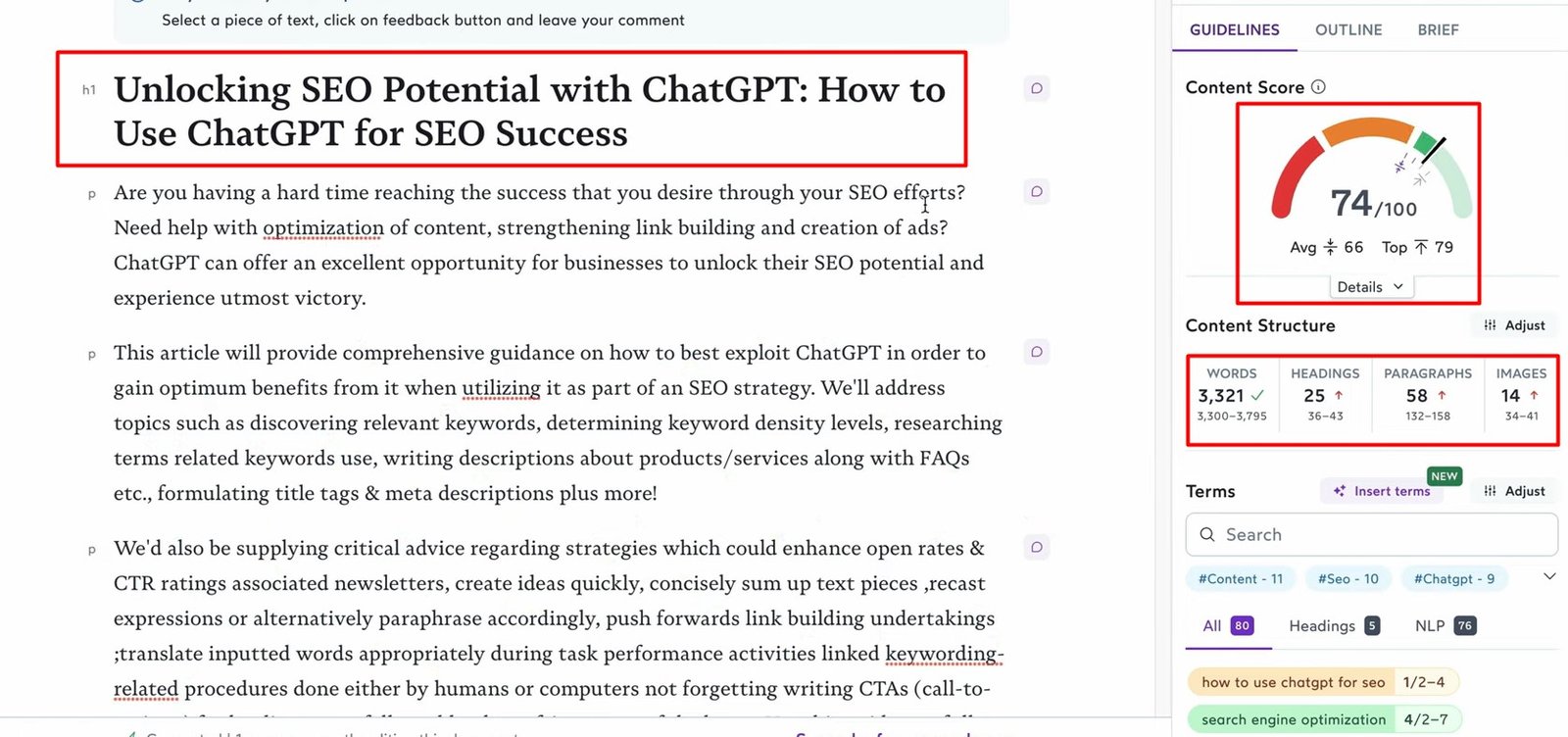
The result opens in the Content Editor with a Content Score, so you can keep optimizing by hand.
- Best for: teams publishing many search-led articles who will edit every draft.
- Not ideal for: opinion pieces, product reviews or anything that needs first-hand experience. The AI can’t test a product for you.
Some links on this page are affiliate links. If you buy through them, we may earn a commission at no extra cost to you. It never changes our scores. How we make money.
How we checked: We read Surfer’s pricing page, its Surfer AI workflow guide and its trial help article on November 10, 2026.
The screenshots below are from our hands-on test of Surfer AI in July 2023, so the current interface looks different.
We didn’t run a new paid test for this update, so the 2026 details come from Surfer’s own documentation. How we review software
How do you generate an article with Surfer AI?
The steps below follow Surfer’s current Surfer AI guide, updated October 30, 2026.
- Open Content Editor, select New Content, then Write with AI. You can also start from an idea in Topical Map and choose Generate with Surfer AI.
- Enter your seed keyword, then set the location, language and device (desktop or mobile). Click Create.
- Pick an article template: blog post, comparison, LLM-optimized article, landing page, or your own template.
- Choose a tone of voice. Surfer recommends the SERP-based tone, but you can add your brand’s voice.
- Fill in Custom Instructions with facts, personal notes or CTAs, and turn on Edit Outline if you want to approve the structure first.
- Review the competitor list. Surfer picks the top 10 pages, and you can untick ones you don’t want to copy, such as Wikipedia.
- Select Create Outline, then Let’s write. Generation takes 5 to 20 minutes, and you can close the tab while it runs.
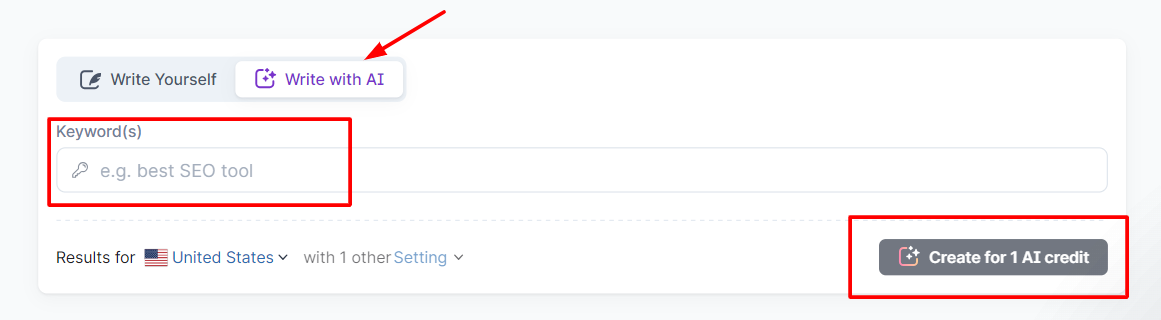
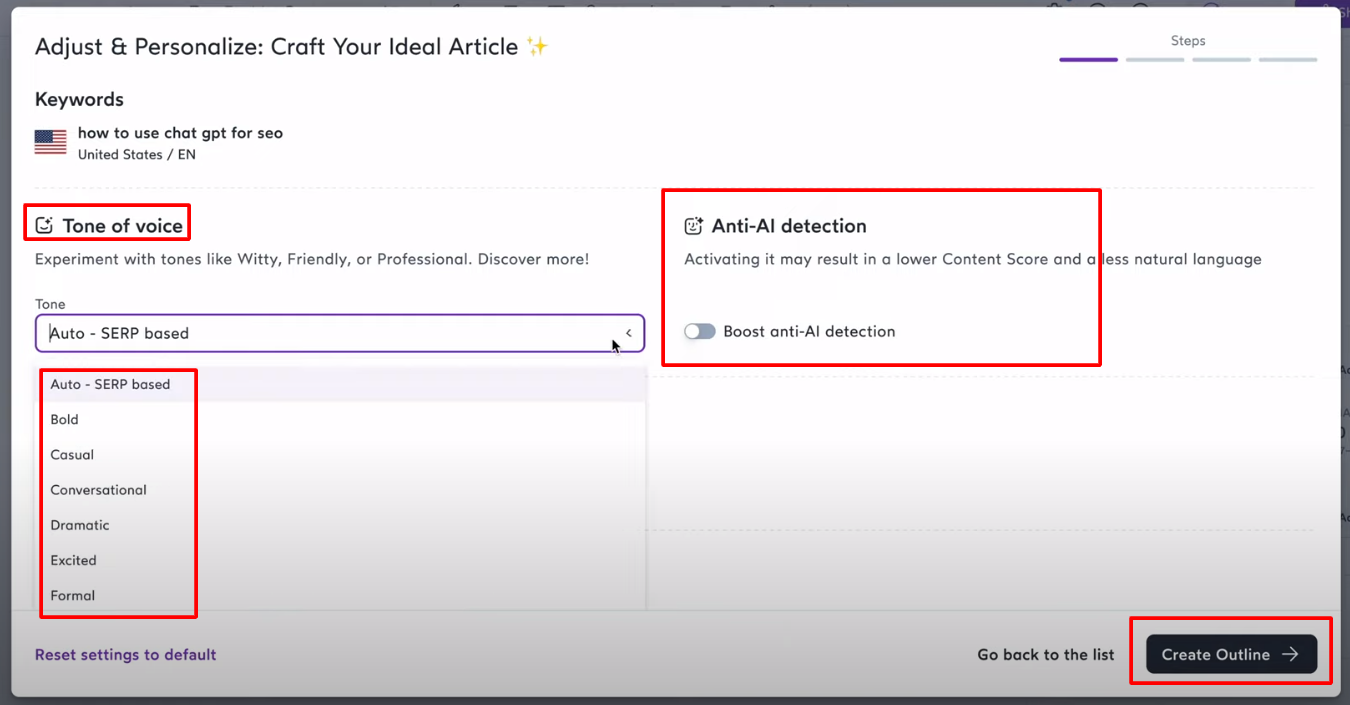
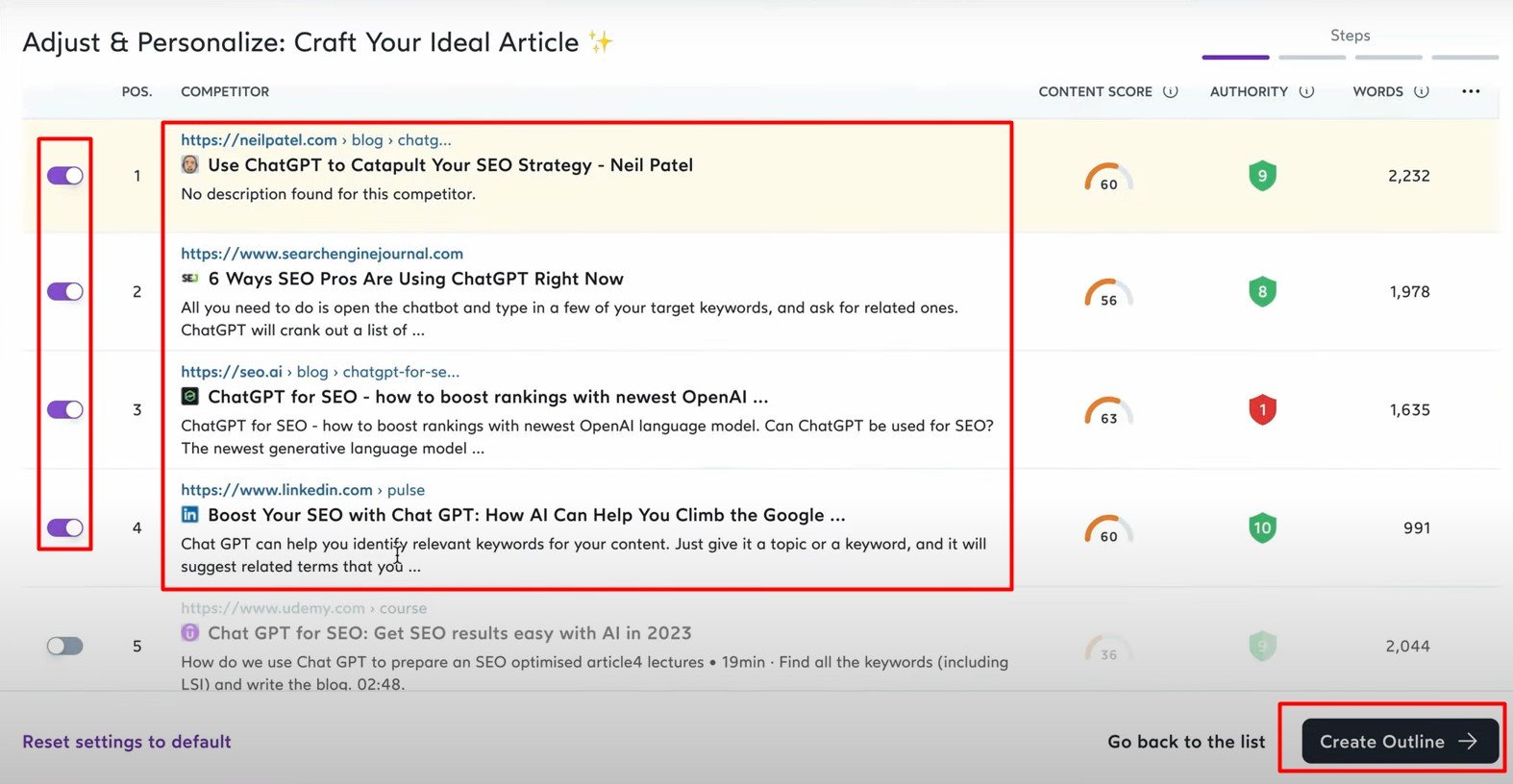
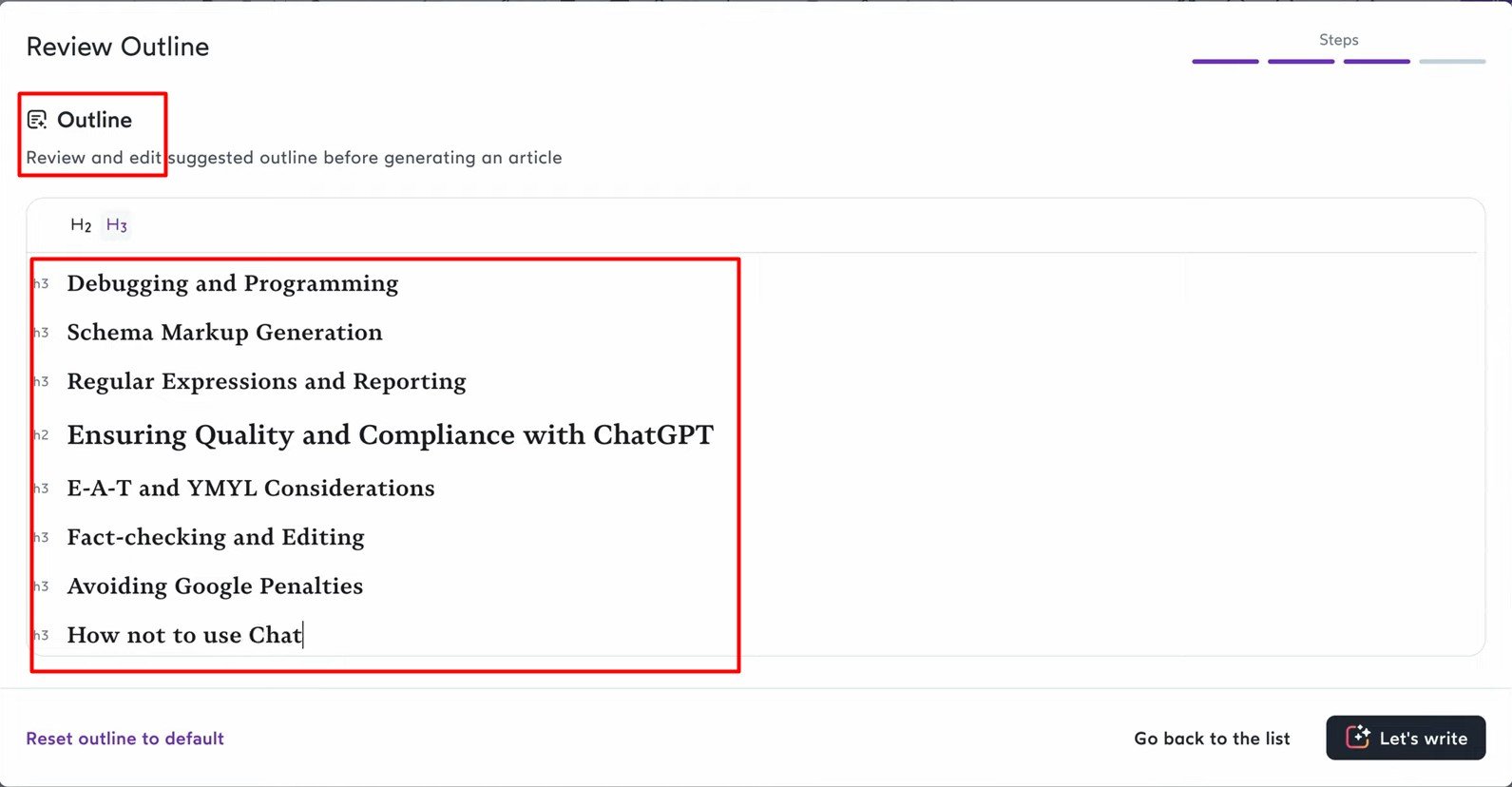
In that July 2023 test, Surfer AI produced a 3,321-word draft from one keyword. Length was never the problem. Checking every claim in it took longer than generating it.
Which Surfer AI features matter most?
Custom Instructions: the box that makes drafts less generic
This is the text box most people skip. Surfer’s guide says notes, facts, anecdotes and CTAs added here guide the outline and the writing. Paste your own data, prices and opinions here, and the draft stops sounding like the top 10 results.
Templates and custom voices: useful, but plan-dependent
Built-in templates cover blog posts, comparisons, LLM-optimized articles and landing pages. Surfer’s pricing page lists “Templates & Custom Voices” under Pro, so check your plan before you count on saved brand voices.
Surfy and the Humanizer: editing after the draft
Surfy is the in-editor assistant. You highlight text and ask it to expand, shorten or rewrite with the article’s SEO context. The Humanizer rewrites AI text to sound more natural. Surfer also offers a free AI Humanizer and a free AI detector on its site.
A humanizer doesn’t add expertise, though. Our take on why unedited AI content can hurt your site explains the risk.
1-click optimization and internal linking
Standard adds 1-click Content Optimization, which rewrites a draft toward the guidelines. Pro adds 1-click internal linking. Both save time on bulk content, but read the result. Automatic links often pick weak anchors.
How much does Surfer AI cost?
Surfer AI isn’t sold on its own anymore. It comes with Surfer’s plans, which count usage in documents you create or optimize.
| Plan | Price (billed yearly) | Documents | Useful for Surfer AI |
|---|---|---|---|
| Discovery | $49/mo | 120 | Guidelines, Surfy, Humanizer |
| Standard | $99/mo | 360 | Adds 1-click optimization, plagiarism checker, team collaboration |
| Pro | $182/mo | 360 | Adds templates and custom voices, internal linking, MCP |
| Peace of Mind | $299/mo | Unlimited (fair use) | Adds API access and a success manager |
Want to try before paying? Surfer gives new accounts a 7-day Pro trial, but it needs a card and converts to a paid plan. Our Surfer SEO free trial guide covers how to cancel in time.
Before you rely on Surfer AI: its pricing page doesn’t mention refunds, and the annual plan is charged up front. Surfer’s FAQ says cancelling stops the next renewal but doesn’t reverse the last charge.
Test on the trial or a monthly plan before you commit to a year.
Should you use Surfer AI or write in the Content Editor yourself?
Write it yourself when the article depends on experience: reviews, tutorials, case studies. The Content Editor’s live score still helps, and our step-by-step Content Editor guide shows how to use it without chasing a perfect score.
Use Surfer AI for informational articles where the structure matters more than a personal view, such as definitions, how-it-works guides or glossary pages. Then add your own examples before you publish.
Either way, start with the right keyword. Our guide to keyword research in Surfer SEO covers Topical Map and the keyword tools in detail, so we won’t repeat it here.
Is Surfer AI worth it?
Yes, if you already pay for Surfer and publish several search-focused articles a month. The AI draft cuts the blank-page time, and the guidelines keep it on topic.
No, if all you want is cheap AI text. Dedicated AI writers cost less. Compare our Anyword free trial guide, WriterZen free trial guide and Jasper AI free trial guide if writing is the main job.
For a broader view of the whole tool, including the audit and tracking features, read our Surfer SEO review. If you mainly want keyword data and backlinks, our Semrush review covers a tool built for that.
Surfer SEO AI FAQs
Is Surfer AI free?
No. Surfer AI comes with paid plans, starting with Discovery at $49 a month billed yearly. New accounts can try it during Surfer’s 7-day Pro trial, which needs a card. Surfer’s AI Humanizer and AI detector have free versions on its website.
How long does Surfer AI take to write an article?
Surfer’s guide says 5 to 20 minutes for a full article, including the outline step. You can close the browser tab while it works. Editing, fact-checking and adding images will take longer than the generation itself.
Can Surfer AI pass AI detection?
Surfer doesn’t promise that, and you shouldn’t rely on it. It offers a Humanizer that rewrites text to sound more natural. Google’s concern is helpfulness, not who typed the words, so editing for accuracy and adding real experience matters more.
Does Surfer AI write in other languages?
Yes. Surfer’s pricing FAQ says it works with all languages, and you set the target location and language when you create the document. Check the output with a native speaker before publishing, as with any AI writer.
Can I choose which competitors Surfer AI copies?
Yes. Surfer pre-selects the top 10 ranking pages for your keyword, and you can untick any you don’t want to compete with. Surfer’s guide recommends keeping pages with a Content Score of 67 or higher if you change the list.
Can I publish Surfer AI articles straight to WordPress?
Surfer’s guide mentions sending AI articles in bulk to your CMS through Zapier, which needs the API add-on. We’d still review each draft in WordPress before publishing, because links and facts need checking.
Is Surfer AI better than ChatGPT for SEO articles?
For search-led articles, it has an edge because it builds the outline from the current top results and scores the draft against them. ChatGPT is more flexible and cheaper. Surfer’s MCP lets you use Surfer data inside ChatGPT or Claude on Pro.
What’s the difference between Surfer AI and the Content Editor?
The Content Editor is the workspace with live SEO guidelines and a Content Score. Surfer AI is the option inside it that writes the draft for you. You can use the editor without the AI, but not the AI without the editor.
Our verdict: should you use Surfer AI?
Use Surfer AI if you’re already on a Surfer plan and need first drafts for search-led topics. Fill in Custom Instructions every time, and treat the output as a draft, not an article.
Skip it if you mostly write reviews or opinion pieces, or if a cheaper AI writer covers your needs. Building out a WordPress SEO stack too? Our Rank Math review covers the on-page side.



[…] AI and time how long the edit takes. Surfer’s guide says generation takes 5 to 20 minutes. Our Surfer AI explainer covers the settings that make drafts less […]
[…] Content Editor docs. Standard and Pro include 360 documents, Discovery 120. If you let Surfer AI write the draft, it still uses a […]