

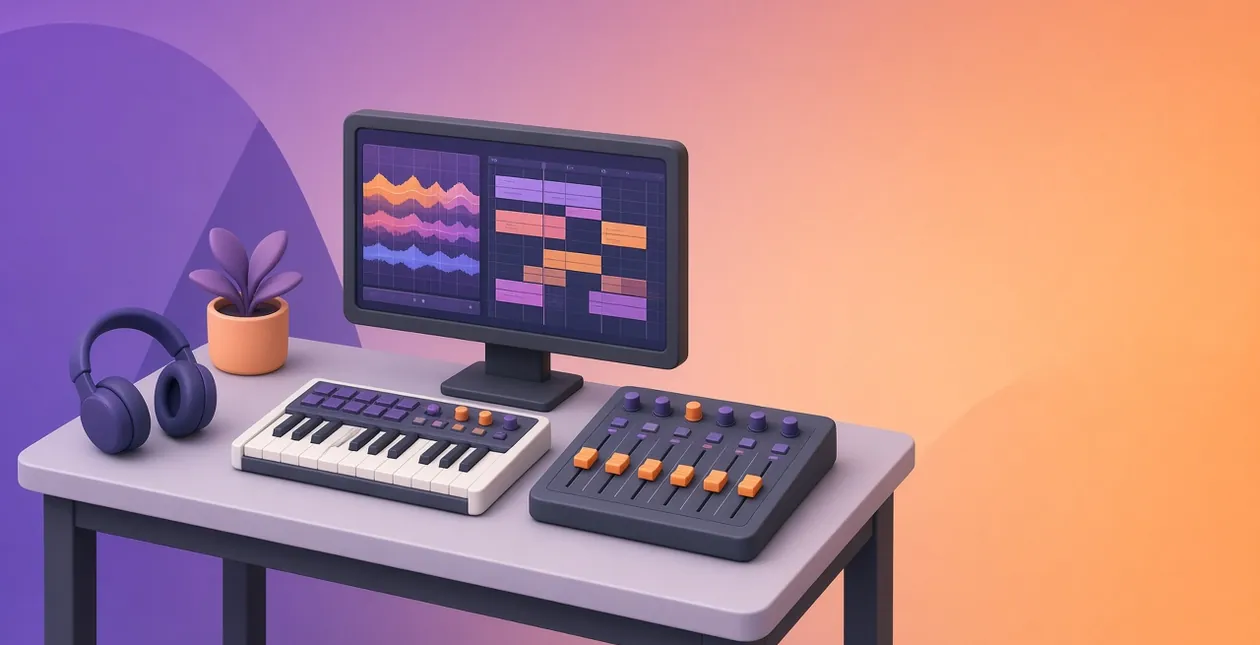
The best song editing software for most people costs between $0 and $60. GarageBand is free on a Mac, Audacity is free everywhere, and REAPER’s $60 license gets you a full multitrack mixing studio.
Pay more only when you need something specific: beat-making tools, live performance or a giant sound library. Pick the wrong program and you’ll pay for features you never open, or hit a track limit halfway through a song.
We went through the pricing, trial and download pages of all nine tools on November 4, 2026.
One of them has a free trial that never expires, with one catch you should know before your first session.
Quick picks: which song editor fits you?
- Best value for mixing: REAPER. A $60 license and a 60-day trial with every feature switched on.
- Best free option on a Mac: GarageBand. Free, and projects open in Logic Pro if you outgrow it.
- Best free audio editor on any computer: Audacity, for trimming, fading and cleaning up recordings.
- Best for beats: FL Studio, a one-time purchase with lifetime free updates.
- Best paid upgrade on a Mac: Logic Pro at $199.99, or inside Apple Creator Studio.
- Best for live sets and electronic music: Ableton Live.
- Best for recording bands and scoring: Cubase, with a 60-day trial.
How we checked: We read each vendor’s own pricing, trial and download pages on November 4, 2026, and prices are in US dollars before tax. We didn’t run a hands-on test for this update, so this is a research-based comparison.
What changed: PreSonus Studio One is now sold as Fender Studio Pro, so that section is renamed. No tool on the old list has shut down.
We added REAPER because it’s the cheapest full mixing studio we found. How we review software
None of the links on this page are affiliate links, and no vendor paid to be included. How we make money.
How do the song editing tools compare on price?
| Tool | Free version or trial | Paid from | Best for |
|---|---|---|---|
| GarageBand | Free | Free (Mac only) | First songs on a Mac |
| Audacity | Free, open source | Free | Quick edits and cleanup |
| WavePad | Free for non-commercial use | $60 Standard, $99 Master’s (one-time) | Simple edits on Windows or Mac |
| REAPER | 60-day full trial | $60 discounted, $225 commercial | Mixing on a budget |
| FL Studio | Unlimited trial, can’t reopen saved projects | $99 Fruity, $179 Producer (one-time) | Beats and electronic music |
| Logic Pro | 30-day Apple Creator Studio trial | $199.99 one-time, or $12.99/mo | Mac songwriters and producers |
| Ableton Live 12 | 30-day Suite trial | One-time; Suite about $749 via 24 payments of $31.21 | Live sets, loops, sound design |
| Cubase 15 | 60-day trial | $99.99 Elements, $329 Artist, $579.99 Pro | Recording, MIDI and scoring |
| Fender Studio Pro 8 | 30-day demo | $199.99 perpetual, or $19.99/mo | Guitar-led recording |
Which song editors are free or cost under $60?
Start here if you’re new or only need to cut, fade and tidy a track. Three of these four cost nothing, and the fourth costs less than a pair of decent headphones.
GarageBand: the free starting point on a Mac

GarageBand is Apple’s free music app. You get software instruments, loops, guitar amps and a simple multitrack timeline for recording and arranging.
Its best feature is the exit route. A GarageBand project opens in Logic Pro, so nothing you make is wasted if you upgrade.
Price: Free on the Mac App Store. Apple lists macOS Monterey or later as the requirement.
- Best for: Mac owners recording their first songs with a USB mic or one of these condenser microphones for singing
- Not ideal for: Anyone on Windows, or detailed mixing with buses and automation
Audacity: free, open-source editing on any computer

Audacity is a free, open-source audio editor for Windows, macOS and Linux. The current release is Audacity 4.0.2, which brought a redesigned interface and Workspaces.
It’s a waveform editor, not a production studio. Use it to trim a song, cut silence, normalize volume or clean up a voiceover before it goes into a video.
Podcasters often pair it with AI narration. If that’s you, our ElevenLabs review and list of AI voice generator tools cover the voice side.
Price: Free. The download page offers an installer with MuseHub and one without, so pick “without MuseHub” if you only want Audacity.
- Best for: Quick edits, voice cleanup and format conversion at zero cost
- Not ideal for: Building a song from MIDI instruments or mixing 20 tracks
WavePad: a simple editor with a free home-use version

WavePad from NCH Software covers the same ground as Audacity with a more guided layout. It handles cut, copy, trim, effects, noise reduction and batch processing.
Price: The free version is for non-commercial use only and doesn’t expire. Standard is $60 and Master’s Edition is $99 one-time, or $16.50 a quarter.
When we checked, NCH’s purchase page showed Standard at $39.95 and Master’s at $69.95 until November 15, 2026.
- Best for: Home users who find Audacity’s menus confusing
- Not ideal for: Paid client work on the free version, which the license doesn’t allow
REAPER: a full mixing studio for $60
REAPER from Cockos is a complete digital audio workstation (DAW): unlimited tracks, MIDI, routing, automation and third-party plugins. It runs on Windows, macOS and Linux.
Our take: it’s the best value on this list because the cheap license is the same software as the expensive one.
Price: Cockos’ purchase page lists a $60 discounted license for personal use or businesses under $20,000 a year in revenue. Everyone else pays $225.
A license covers upgrades through version 8.99, and you get 60 days to evaluate it with full functionality.
- Best for: Recording and mixing on a budget, especially if you already own plugins
- Not ideal for: Beginners who want a big library of ready-made sounds and loops to start from
Which full DAW is worth paying for?
These five are complete production studios with instruments, effects and mixers. All of them sell one-time licenses, and every one has a free trial, so test the workflow before you pay.
FL Studio: beat-making with lifetime free updates

FL Studio from Image-Line is built around a step sequencer, a piano roll and pattern-based arranging. That workflow is why so many hip-hop and electronic producers start here.
Every edition gets future updates free, which matters because most rivals charge for major versions. Stem separation is included from Producer Edition up.
Price: One-time. Fruity is $99, Producer $179, Signature Bundle $269 and All Plugins $449 on Image-Line’s pricing page.
On November 4 a sale cut Producer to $139 and All Plugins to $224. Image-Line itself says most new producers pick Producer, because it has full audio recording and mixing.
The catch: the free trial never expires and exports WAV or MP3 without a watermark. But you can’t reopen a saved project until you buy.
- Best for: Beat-makers. Compare it with other software to create beats and loops
- Not ideal for: Tracking a full band live, where Cubase or Fender Studio Pro feel more natural
Logic Pro: the natural next step for Mac users

Logic Pro is Apple’s professional DAW for Mac and iPad. It includes Stem Splitter, Mastering Assistant, Flex Pitch for vocal tuning, and AI Session Players that follow your chord track.
Price: $199.99 one-time on the Mac App Store. It’s also part of Apple Creator Studio: a 30-day trial, then $12.99 a month or $129 a year.
The catch: Apple’s Logic Pro page now lists a Mac with Apple silicon and macOS 15.6 or later. An older Intel Mac won’t run the current version.
- Best for: Songwriters on an Apple silicon Mac who have outgrown GarageBand
- Not ideal for: Windows users, or anyone collaborating with a mostly Windows team
Ableton Live: built for loops and live performance

Ableton Live’s Session View lets you trigger loops and clips in any order. That makes it a favorite for live electronic sets and sketching ideas.
Live 12 comes in three editions. Intro caps you at 16 audio and MIDI tracks with 5+ GB of sounds. Standard removes the limit, and Suite adds Max for Live and 71+ GB of sounds.
Price: One-time licenses. Ableton’s shop also offers Suite as rent-to-own at $31.21 a month over 24 payments, about $749 in total.
The shop shows prices by country. From India it listed ₹4,990 for Intro, ₹19,990 for Standard and ₹39,990 for Suite.
The catch: the 30-day trial is the full Suite. After it ends you can open your sets but can’t save or export them.
- Best for: Electronic producers, DJs and anyone performing live
- Not ideal for: Long linear projects like film scores, or anyone who would hit Intro’s 16-track cap
Cubase: deep MIDI and recording, with the longest trial

Steinberg’s Cubase is a long-running favorite with composers and recording engineers. Cubase 15 Pro adds Dolby Atmos support and a Spectral Comparison EQ to its advanced MIDI editing.
Price: Steinberg’s Cubase page lists Elements at $99.99, Artist at $329 and Pro at $579.99. Artist adds VariAudio pitch correction, which most singers will want.
The trial runs 60 days with no card required, and your projects stay intact if you buy.
- Best for: Composers, MIDI-heavy arrangers and engineers tracking real instruments
- Not ideal for: Casual editing, where $579.99 for Pro is hard to justify
Fender Studio Pro (formerly Studio One): drag-and-drop with Fender amps

On January 13, 2026, Fender announced that Studio One Pro becomes Fender Studio Pro. Version 8 keeps Studio One’s drag-and-drop workflow and adds Fender’s guitar and bass amp models.
Price: A perpetual license is $199.99, and an upgrade from Studio One Pro is $99.99. The Pro+ subscription is $19.99 a month.
Oddly, the perpetual license bundled with a year of Pro+ costs less, at $179.99. A free 30-day demo is available.
- Best for: Guitarists and singer-songwriters recording at home
- Not ideal for: Learning from older tutorials without confusion, since most guides still say Studio One
What do most song editing software lists get wrong?
They quote the cheapest edition as the real price. FL Studio’s $99 Fruity Edition and Ableton’s Intro are real products, but they’re cut down. Image-Line steers most new producers to the $179 Producer Edition.
Ableton Intro’s 16-track limit fills fast once you add drums, bass, vocals and harmonies. Price the edition you’ll actually use, not the one on the banner.
The second trap is the trial. FL Studio’s never expires but locks saved projects. Ableton’s lets you open sets after 30 days but not save them. Cubase keeps your projects and gives you 60 days.
How do you choose the right song editing software?
- Are you editing or producing? Trimming, fading and cleanup only need Audacity or WavePad. Writing and mixing full songs needs a DAW.
- What computer do you have? GarageBand and Logic Pro are Mac only. Everything else here runs on Windows and Mac, and REAPER and Audacity also run on Linux.
- Do you make beats, record instruments or perform live? FL Studio for beats, Cubase or Fender Studio Pro for recording, Ableton Live for the stage.
- Where will the song end up? If it’s a video soundtrack, you’ll finish in an editor like CapCut or Wondershare Filmora, so a simple audio editor may be enough.
- Do you need your own music at all? For background tracks, our guide to royalty-free music resources may save you the work.
Making tutorials or YouTube videos? Screen recorders like TechSmith Camtasia and browser editors like VEED include basic audio tools. Pair them with footage from these royalty-free video sites.
Song editing software FAQs
Is there free song editing software?
Yes. GarageBand is free on Mac, Audacity is free and open source on Windows, macOS and Linux, and WavePad has a free version for non-commercial use. FL Studio’s trial never expires either, but it can’t reopen saved projects until you buy a license.
What is the easiest song editing software for beginners?
GarageBand is the easiest start on a Mac because it’s free and its projects open in Logic Pro later. On Windows, Audacity or WavePad are simpler for basic edits, while FL Studio’s free trial is a friendly way to learn beat-making before paying anything.
Can Audacity mix a full song?
It can layer and balance a few tracks, but it isn’t built for mixing. There are no virtual instruments, buses or deep automation like a DAW has. For full songs, REAPER at $60 or GarageBand on a Mac are better next steps that still cost little.
Is FL Studio a one-time purchase?
Yes. You pay once and get lifetime free updates for your edition. List prices on Image-Line’s site were $99 for Fruity, $179 for Producer, $269 for Signature and $449 for All Plugins when we checked on November 4, 2026, with a sale running on the higher editions.
What happened to PreSonus Studio One?
Fender renamed Studio One Pro to Fender Studio Pro in January 2026. Version 8 keeps the Studio One workflow and adds Fender amp models. A perpetual license is $199.99, Studio One Pro owners can upgrade for $99.99, and there’s a free 30-day demo.
Do I need a new Mac for Logic Pro?
You need a Mac with Apple silicon running macOS 15.6 or later, according to Apple’s Logic Pro page. Logic Pro costs $199.99 once, or comes with Apple Creator Studio at $12.99 a month after a 30-day trial. GarageBand still runs on older Macs with macOS Monterey.
Which song editing software has the longest free trial?
FL Studio’s trial never ends, but saved projects stay locked until you buy. Cubase and REAPER both give 60 days with full features. Ableton Live, Fender Studio Pro and Apple Creator Studio give 30 days. Cubase keeps your projects intact if you buy afterwards.
Is song editing software the same as a DAW?
Not always. Audio editors like Audacity and WavePad edit waveforms: cut, fade, clean. A DAW such as REAPER, FL Studio or Logic Pro also records multiple tracks, plays virtual instruments and mixes with effects and automation, which is what you need to produce a full song.
Which one should you pick?
Start free. On a Mac that means GarageBand; on Windows or Linux, Audacity for editing. When you’re ready to mix full songs, REAPER at $60 is the cheapest real step up.
Pay more only for a workflow you’ve tested in the trial: FL Studio for beats, Logic Pro on an Apple silicon Mac, Ableton for live sets, Cubase or Fender Studio Pro for recording.

[…] or looping select sections to match the rhythm of their productions. The free tools in our song editing software roundup handle that kind of trimming and […]
[…] People often use condenser microphones for professional recording because they give really good sound quality. Once you have a take, you can clean it up and mix it in song editing and mixing software. […]