


The Anyword free trial gives you 7 days and 2,500 words to test the tool, and the sign-up form asks for nothing more than an email or a Google account.
The catch is the word cap. 2,500 words is roughly one long blog draft, so spend it on the thing Anyword actually sells: scoring ad and email copy before it goes live.
We went through Anyword’s pricing page, plan comparison table, pricing FAQ and terms of service, checked November 2026.
One line in those terms matters more than the trial itself if you ever move to a yearly plan.
Some links on this page are affiliate links. If you buy through them, we may earn a commission at no extra cost to you. It never changes our scores. How we make money.
Is the Anyword free trial still available?
Yes. Anyword’s pricing page offers a 7-day free trial with a limit of 2,500 words. Both self-serve plans, Starter and Data-Driven, carry a “Start your 7-day free trial” button.
Business and Enterprise have no trial button. Those plans are sold through a sales call or a demo, with custom pricing.
How we checked: in November 2026 we read Anyword’s pricing page (monthly and yearly views), its plan comparison table and pricing FAQ, its homepage and its terms of service. We didn’t start a new trial for this update, so the screenshots below are from January 2024. How we review software
Last updated November 2026: trial limits and prices re-checked, the retired $349 Business price removed, and the refund and renewal terms added.
| Offer | Free trial | Starter | Data-Driven |
|---|---|---|---|
| Price | $0 | $49 a month, or $39 a month billed yearly | $99 a month, or $79 a month billed yearly |
| Length or cap | 7 days, 2,500 words | Unlimited copy generation | Unlimited copy generation |
| Seats | Not stated | 1 | 3, extra seats $59 a month ($49 yearly), up to 10 |
| Performance predictions | Not stated | 50 a month (100 on yearly) | 100 a month (175 on yearly) |
| Refunds | Nothing to refund | None for cancelled subscriptions | None for cancelled subscriptions |
The 2,500-word cap is the real limit
Anyword’s paid plans all promise unlimited words. The trial doesn’t. Its pricing FAQ caps it at 2,500 words, and it doesn’t say whether the trial ends early once you hit the cap.
Plan as if it does. A single Blog Wizard article can eat most of that budget, while 2,500 words covers dozens of ad headlines, email subject lines and social posts.
That’s also where Anyword is strongest. It scores each variation for predicted performance, which matters far more on a 10-word headline than on a 1,500-word post.
How to claim the Anyword free trial
Signing up takes about five minutes. Our writer’s run in January 2024 had seven short screens, and the sign-up form on Anyword’s site still asks for the same two options today.
Step 1. Open Anyword’s website. The homepage has a Start for free button in the hero area.
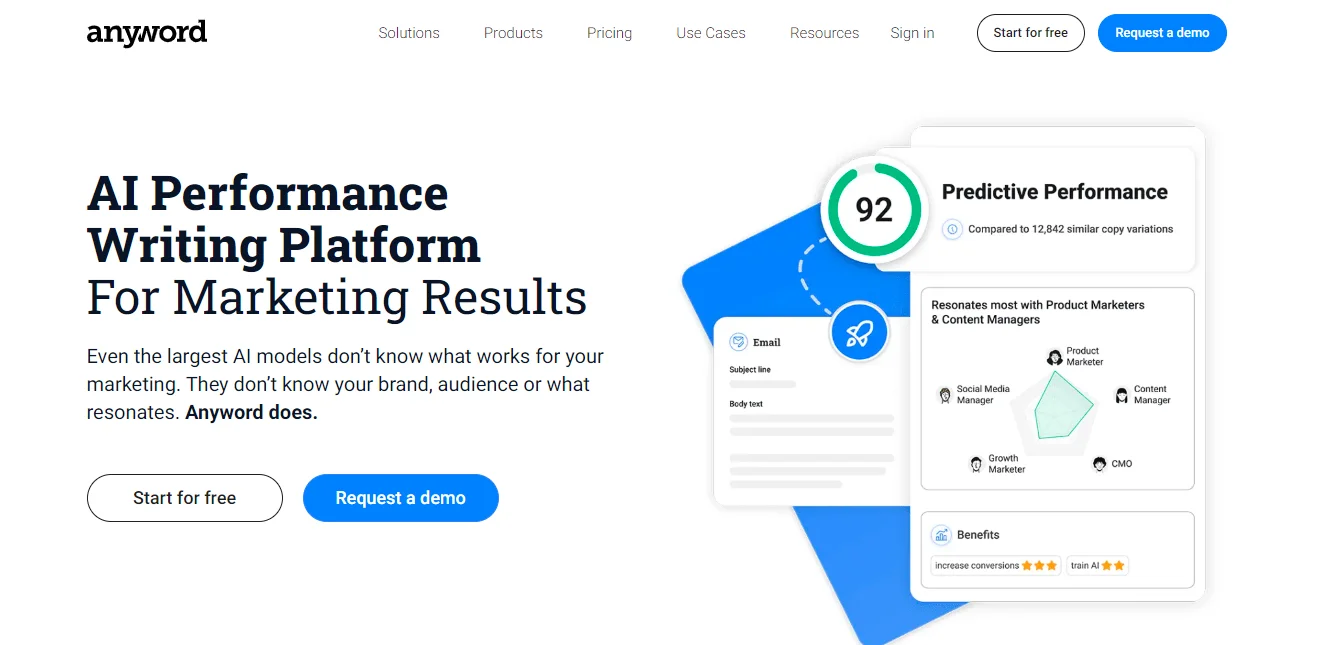
Step 2. Click Start for free in the top-right corner of the header. It opens the same sign-up form as the homepage button.

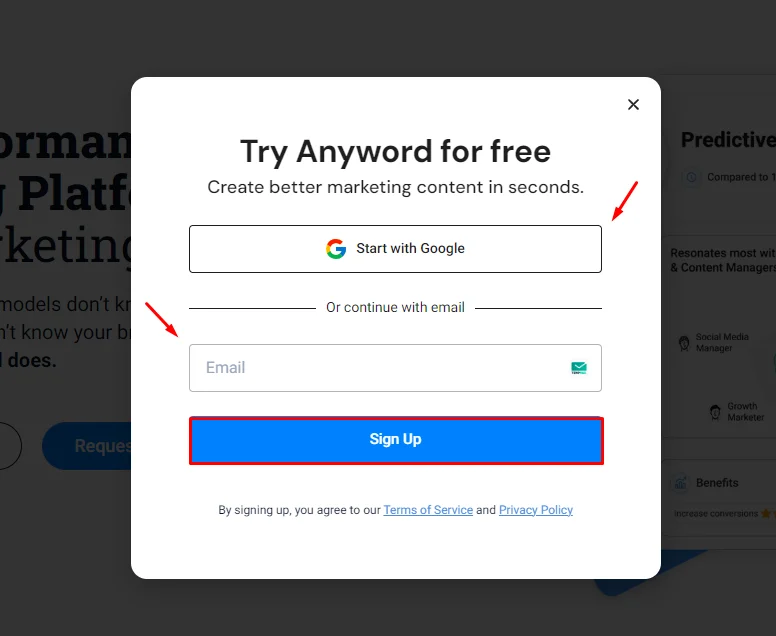
Step 3. Sign up with Google, or enter your email and click Sign Up. Anyword now recommends a work email. There’s no card field on the form.
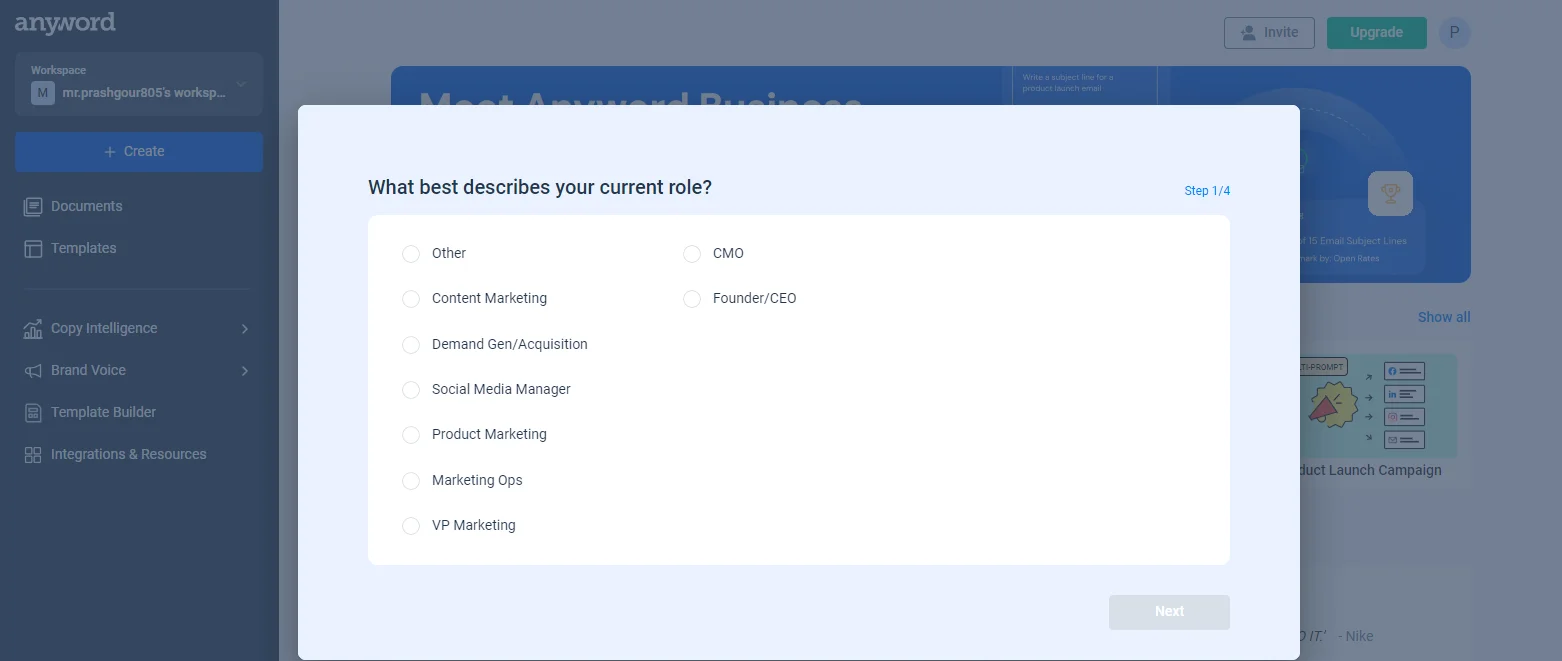
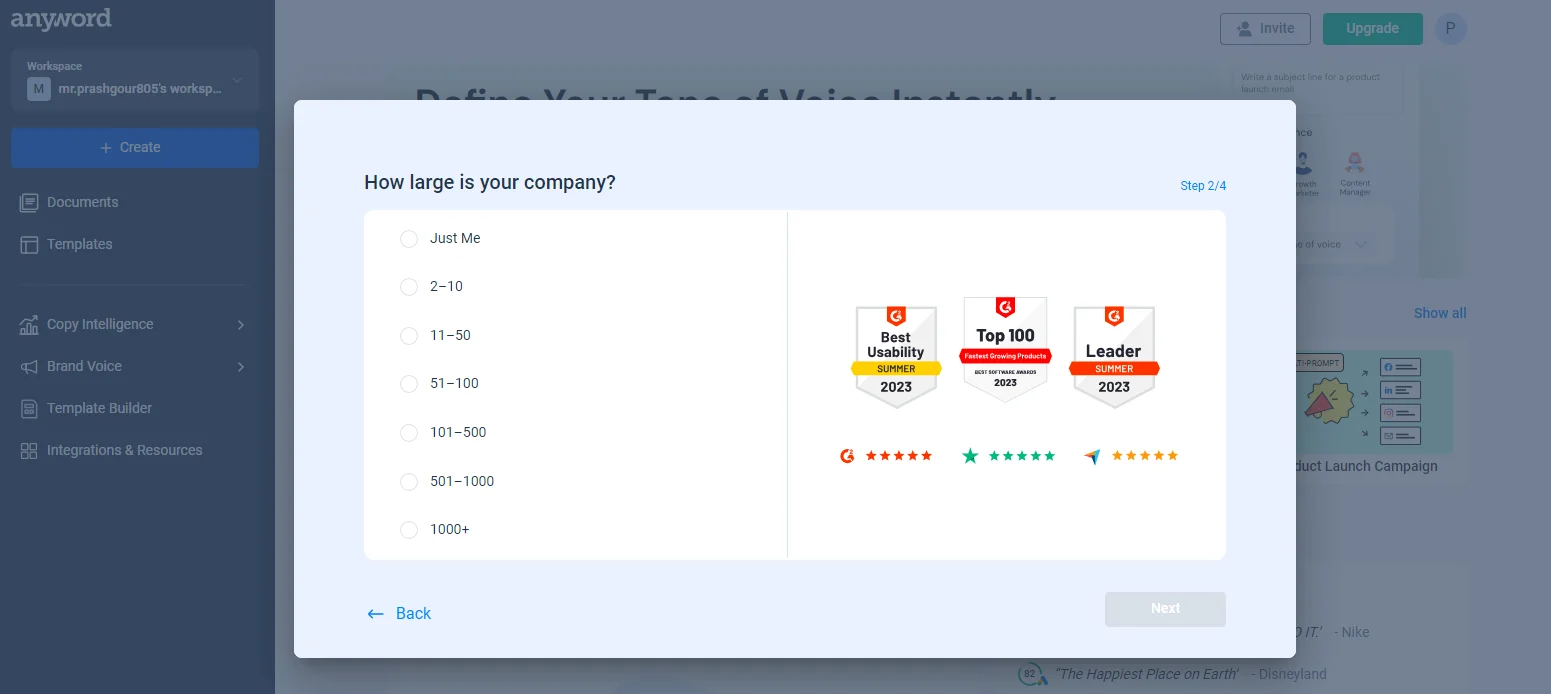
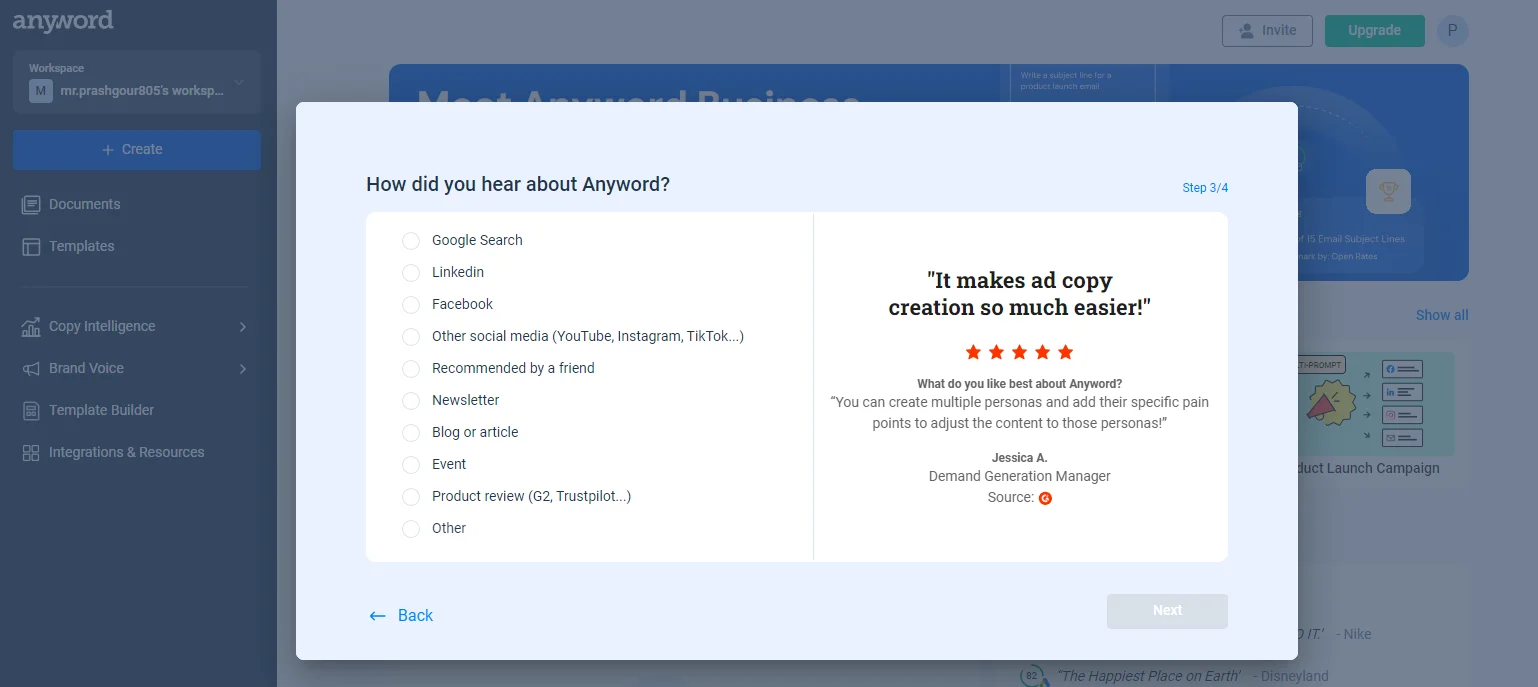
Step 4. Answer the onboarding questions. Our writer was asked for a role (content marketing, demand gen, social media and so on), company size and how they heard about Anyword.
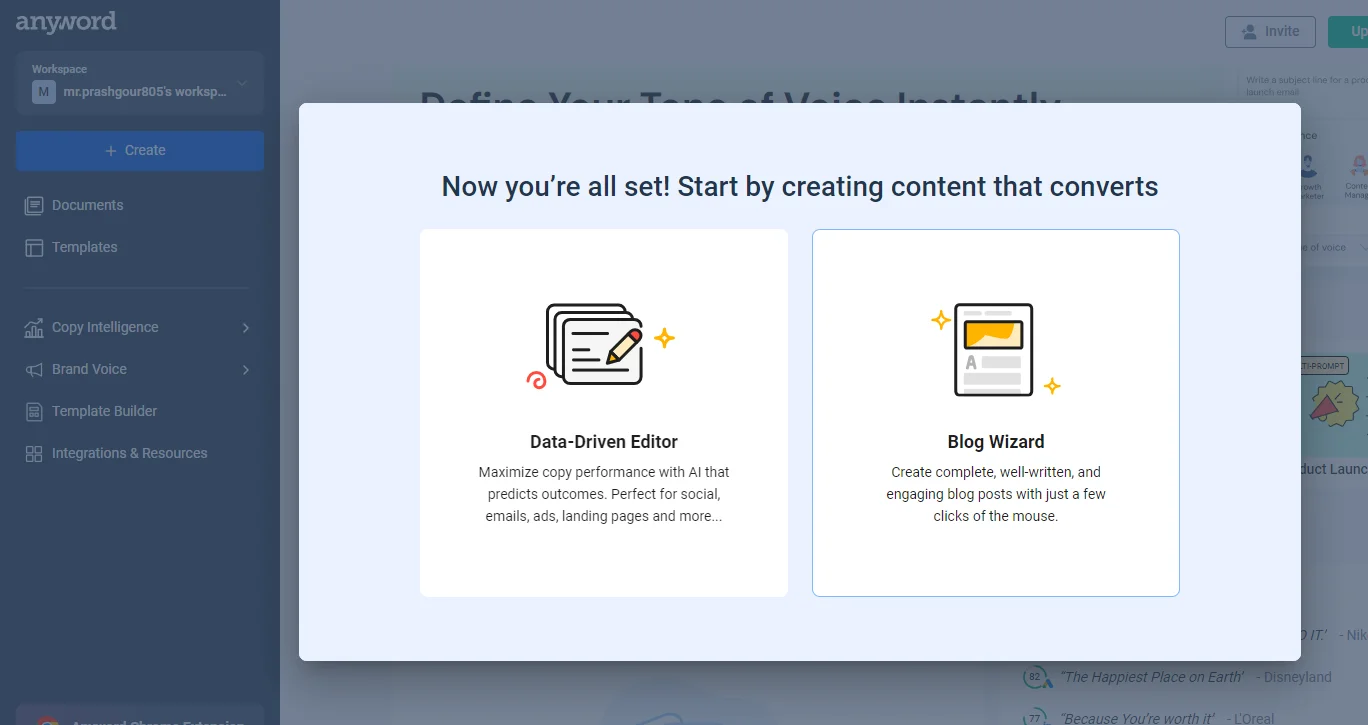
Step 5. Choose where to start: the Data-Driven Editor for short copy such as ads, emails and landing pages, or the Blog Wizard for long articles.
Step 6. Set a calendar reminder for day 6. That leaves a day to copy out anything you want to keep before the trial runs out.
What should you test before day 7?
Seven days and 2,500 words go fast. Run these four tests in this order, and keep each one small.
- Predictive scores on copy you already ran. Paste two ad headlines or email subject lines whose real results you know. If Anyword’s performance score picks the winner, the core feature works for your audience. If it doesn’t, nothing else in the plan matters much.
- Brand voice. Feed it a page of your existing copy and generate five short variations. Check whether they sound like you or like a generic marketer.
- One short campaign. Write a full set for one real launch: three ad variations, an email and two social posts. That’s the job Anyword is priced for, and it shows how much editing each draft needs.
- One Blog Wizard draft, last. Only if words remain. Read it against our guide to how AI writing can hurt your SEO before you publish anything it writes.
Want a second opinion on the feature set? Our Anyword review covers the templates and the editor in more detail.
If long-form SEO articles are your main job, a content editor fits better than a copy scorer. Here’s how the Surfer SEO content editor works, step by step.
What happens when the Anyword trial ends?
Anyword doesn’t publish a step-by-step account of the trial’s end. Since the sign-up form takes no card, there’s nothing for it to charge automatically. To keep going, you pick a plan and pay.
Copy out drafts you care about before day 7. Anyword doesn’t say how long trial work stays available afterwards.
What does Anyword cost after the trial?
Anyword’s pricing page lists two self-serve plans and two custom ones. Yearly billing saves 20% on both self-serve plans and, oddly, also doubles or nearly doubles your monthly performance predictions.
| Plan | Monthly billing | Yearly billing | What you get |
|---|---|---|---|
| Starter | $49 a month | $39 a month ($468 a year) | 1 seat, unlimited copy, 1 brand voice, 100+ templates, Blog Wizard with plagiarism checker, Chrome extension |
| Data-Driven | $99 a month | $79 a month ($948 a year) | 3 seats, 5 workspaces, real-time scoring as you edit, more predictions |
| Business | Custom | Custom | Custom-built AI models trained on your past campaigns, 5,000 performance data rows, website A/B testing, up to 20 seats |
| Enterprise | Custom | Custom | SSO, a private language model, full API access, security and legal review |
Good to know: Anyword’s own pricing page doesn’t agree with itself on brand voices. The Starter plan card says one brand voice, while the comparison table lower down lists three voices for both Starter and Data-Driven. Screenshot what you’re buying.
Do the maths before you pick. Starter on yearly billing costs $120 less than 12 months of monthly billing. Data-Driven saves $240 a year the same way.
Teams should price seats first. Data-Driven includes three. A fourth costs $49 a month on yearly billing, or $588 a year, which takes the plan past $1,500 a year.
Can you cancel or get a refund?
You can cancel a monthly or yearly subscription at any time, according to the pricing FAQ. The same answer says Anyword doesn’t refund cancelled subscriptions.
The catch: Anyword’s terms of service say payments are non-refundable and that, after the first term, the agreement renews automatically for one-year periods.
Opting out takes written notice at least 90 days before the term ends, and the terms say you won’t get a reminder.
Those terms are written around order forms, so they matter most on Business and Enterprise contracts. On a self-serve yearly plan, set a calendar reminder three months before renewal and confirm in your billing settings what applies to you.
Is the Anyword trial worth starting?
Yes, if you write short marketing copy. It costs nothing, and seven days is enough to see whether the performance scores match your real results.
Start it if: you write ads, emails, landing pages or social posts and want a data point on which variation will win before you spend money testing it.
Skip it if: you mainly want long SEO articles. The 2,500-word cap barely covers one draft, and the scoring matters less on long-form content.
Anyword’s homepage says customer data is never used to train third-party models, and it lists SOC 2, ISO 27001, GDPR and HIPAA compliance. That helps if clients ask where their copy goes.
Its 82% prediction-accuracy figure is Anyword’s own claim, not an independent test. Treat the trial as your chance to check it.
Anyword alternatives: who should look elsewhere?
These tools cover nearby jobs with a trial or a free plan. The terms below were checked on each vendor’s pricing page in November 2026.
- Jasper. Pick it for brand-heavy marketing teams. Jasper’s pricing page offers a 7-day free trial of Pro, which costs $69 a month, or $59 a month billed yearly. Our Jasper AI free trial guide and Jasper review cover the rest.
- Rytr. Pick it if $0 matters most. Rytr’s free plan gives you 10,000 characters a month with no time limit. Our Rytr review covers what you lose against paid tools.
- Scalenut. Pick it for SEO articles rather than ad copy. Scalenut’s pricing page offers 7 days free without a card. See our Scalenut free trial guide and Scalenut review.
- WriterZen. Pick it for keyword research and briefs. WriterZen’s homepage promises a 15-day trial with no card, twice Anyword’s length. Our WriterZen free trial guide explains the lifetime-deal catch.
Anyword free trial FAQs
Is Anyword free?
No. Anyword has no free-forever plan, only the 7-day trial capped at 2,500 words. After that, the cheapest option is Starter at $49 a month, or $39 a month billed yearly, which works out to $468 a year for one seat.
Does the Anyword free trial need a credit card?
The sign-up form doesn’t ask for one. It offers Google sign-in or a work email, and the pricing page mentions no card for the trial. If a later screen asks for payment details, read the plan and renewal terms before you enter them.
How many words do you get in the Anyword free trial?
2,500, according to Anyword’s pricing FAQ. Paid plans have unlimited copy generation, but the trial doesn’t. That’s plenty for ad headlines, subject lines and social posts, and tight for blog drafts, so test short copy first.
Can you get a refund from Anyword?
Don’t count on it. Anyword’s pricing FAQ says it doesn’t refund cancelled subscriptions, and its terms call payments non-refundable. That makes the free trial your only risk-free test, so use all seven days before you pay.
What’s the difference between Anyword Starter and Data-Driven?
Seats and scoring. Starter has one seat and one workspace. Data-Driven has three seats, five workspaces, more performance predictions and real-time scoring while you edit copy yourself. Data-Driven costs $99 a month, or $79 a month billed yearly.
Which languages does Anyword support?
More than 30, according to the plan comparison table on Anyword’s pricing page. If you write in a language other than English, use part of your 2,500 trial words to check the output quality in that language.
Is Anyword legit?
Yes. Anyword is run by Keywee Inc., the company named in its terms of service, from a New York address. Its homepage lists SOC 2, ISO 27001, GDPR and HIPAA compliance and says your data isn’t used to train third-party models.
Is Anyword better than Jasper?
It depends on the job. Anyword’s edge is predicting which copy variation will perform better. Jasper is built around brand assets and campaigns. Anyword Starter is cheaper at $39 a month billed yearly versus $59 for Jasper Pro, and both offer 7-day trials.
Our verdict: should you start the Anyword free trial?
- Start the Anyword free trial if you write ads, emails or landing pages, because the performance scores are the reason to pay and seven days is enough to check them against copy you’ve already run.
- Pick Starter on yearly billing if the scores hold up and you work alone, because $39 a month buys double the predictions of the monthly plan.
- Pick Data-Driven if two or three people share the work, because three seats are included and a single extra Starter seat isn’t on offer.
- Look at Scalenut, Surfer or WriterZen instead if long SEO articles are the job, because the 2,500-word trial and the scoring both favour short copy. Our Surfer SEO review is a good place to start.
Our pick for most readers: claim the trial, spend the words on short copy with known results, and only buy if the scores pick your real winners.

[…] guides to the Jasper AI free trial and the Anyword free trial explain how each one […]
[…] trials before you pick? Our Anyword free trial guide explains what its 7-day, 2,500-word trial lets you […]
[…] you mostly write ads and emails, compare Jasper with our Anyword free trial guide, which covers a 7-day trial built around copy performance […]
[…] short ad and email copy, our Anyword free trial guide shows how to test its performance scores before you […]