

You need a price field, a repeater for team bios and maybe an events post type. Every custom field plugin claims it handles all three.
Choose wrong and you’ll pay $49 a year just to get repeaters, or rebuild your templates when you switch.
We compared the best custom field plugins for WordPress on pricing, renewals, changelogs and page-builder support, all checked October 2026.
One free plugin now ships the features ACF PRO still charges for, and it comes with a backstory.
The best custom field plugins at a glance
- Best overall: Advanced Custom Fields (ACF). The free version covers most sites, and PRO starts at $49 a year.
- Best free option: Secure Custom Fields, which includes repeaters, flexible content and options pages at no cost.
- Best for agencies and builder sites: Meta Box, with free page-builder integrations and lifetime licences.
- Best for large data sets on a budget: Pods, which can store fields in its own database tables.
- Best for Elementor and Bricks listings: JetEngine, which adds queries, listing grids and relations.
- Cheapest paid plan in US dollars: ACPT, at $29 a year for one site.
- Best for developers: CMB2, which is free, code-first and still updated.
How we picked: Everything below was checked in October 2026 against each plugin’s pricing page, WordPress.org listing or changelog, and documentation. We didn’t build a test site for this update, so treat this as a buyer’s comparison, not a benchmark. One disclosure: this site uses Secure Custom Fields for its review fields. How we review software
Last updated October 2026: prices and renewals re-checked; Secure Custom Fields, ACPT, CMB2 and Carbon Fields added; Custom Field Suite removed (closed).
Some links on this page are affiliate links. If you buy through them, we may earn a commission at no extra cost to you. It never changes our scores. How we make money.
Custom field plugins compared: what each one costs after year one
Here’s the money side in one place: what’s free, what you pay, and what the renewal looks like.
| Plugin | Free version | Paid plans and renewal | Best for |
|---|---|---|---|
| ACF | Yes: 30+ field types, post types and taxonomies | PRO: $49/yr (1 site), $149/yr (10 sites), $249/yr (unlimited); auto-renews yearly | Most sites, especially on Elementor Pro, Bricks or Divi |
| Secure Custom Fields | Yes, including repeaters, flexible content and options pages | None: there’s no paid tier | Free repeaters without a licence key |
| Meta Box | Yes: Meta Box Lite, with a visual builder and relationships | $49/yr (1 site, 12 extensions), $99/yr (3 sites, all extensions), $299 lifetime (3 sites); renews at the regular price | Agencies and page-builder sites |
| Pods | Yes, every field type | Optional Pods Pro add-ons: $49 to $119 a year | Custom tables and relationships on a budget |
| JetEngine | No (no trial; 30-day refund) | $75/yr (1 site) or $169/yr (unlimited); All-Inclusive bundle $199/yr; renews at the standard price | Listings and filters in Elementor, Bricks or the block editor |
| ACPT | ACPT Lite only (5 field types, last updated February 2025) | $29/yr (1 site), $49/yr (5 sites), $99/yr (unlimited); lifetime from $99 | A low-cost all-in-one with custom tables |
| CMB2 | Yes (code only) | Free | Developers shipping fields in code |
| Carbon Fields | Yes (Composer library) | Free | Theme developers |
| Toolset | No (30-day refund) | €69 first year, then €51/yr (1 site); €149 then €111 (3 sites); €299 then €224 (unlimited) | Sites already built on Toolset |
The 9 best custom field plugins for WordPress in 2026
They’re ranked by how many readers each one suits. CMB2 and Carbon Fields get shorter entries because they’re free, code-only libraries with no plans to compare.
Advanced Custom Fields (ACF): best overall
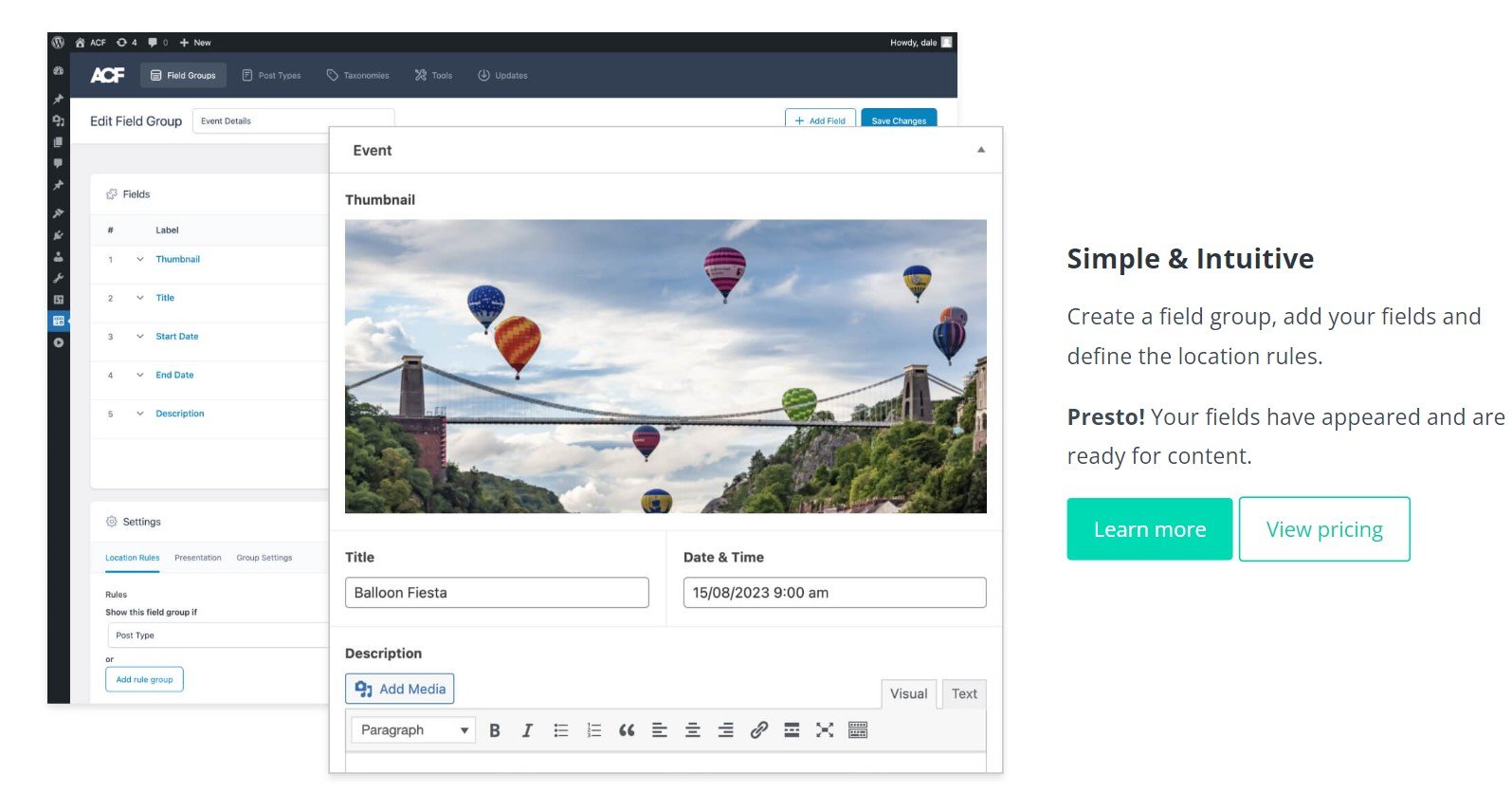
ACF is the safe default because the big page builders support it. Elementor Pro (see our Elementor review), Bricks and Divi (see our Divi review) all read ACF fields natively.
The free version handles most sites. You only pay when you need repeating rows, flexible layouts, galleries or options pages. WP Engine owns ACF.
- 30+ field types plus post type and taxonomy registration, all in the free version
- Relationship fields that can update both linked items (two-way since ACF 6.2)
- acf_form() for simple front-end forms, if you’re happy to add a little PHP
- PRO adds the Repeater, Flexible Content, Gallery and Clone fields, Options Pages and ACF Blocks
- Values save to WordPress’s standard meta tables; there’s no custom-table option
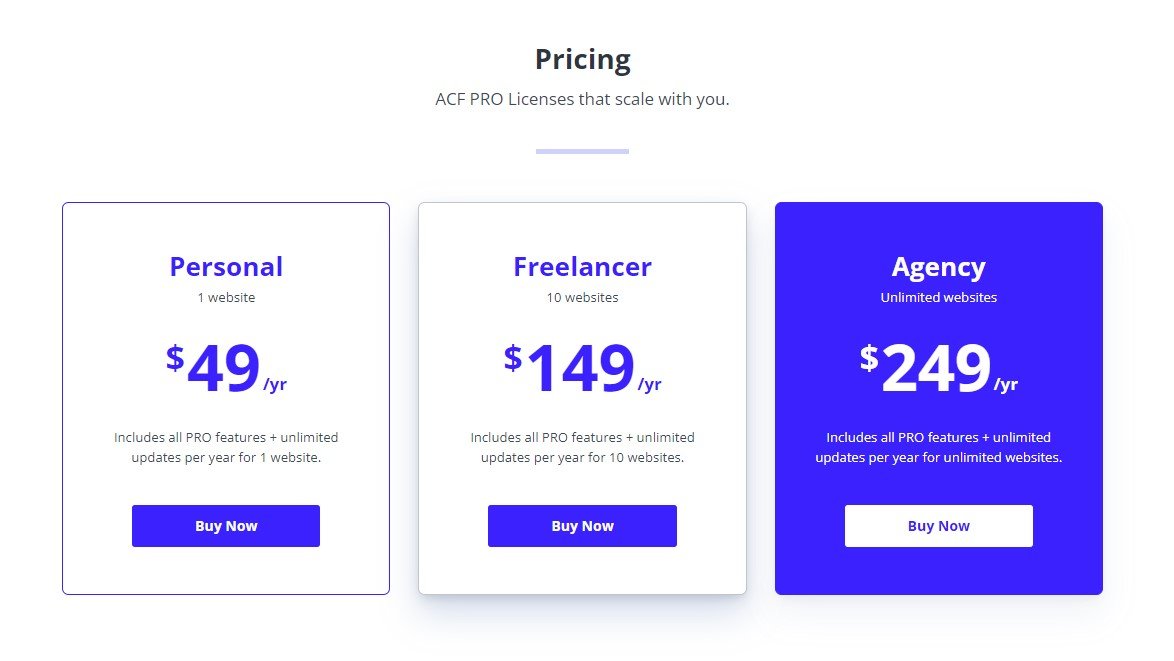
Price: free, or ACF PRO at $49 a year for one site, $149 for 10 sites or $249 for unlimited sites, per ACF’s pricing page. Licences auto-renew each year, and staging and development sites don’t count toward the limit.
- Best for: most sites, especially ones built with Elementor Pro, Bricks or Divi.
- Skip it if: you need repeaters on a zero budget (pick SCF) or custom database tables (pick Pods).
Secure Custom Fields: best free option
SCF is a fork of ACF, published under the WordPress.org account on its own plugin page. It bundles the features ACF sells in PRO: Repeater, Flexible Content, Gallery, Clone, Options Pages and blocks. There’s no paid tier, and this site uses SCF for its review fields.
Why there are two ACFs: In October 2024, during a legal dispute between WP Engine and Automattic, WordPress.org forked ACF into SCF and pointed ACF’s directory listing at the fork. WordPress.org’s announcement said SCF had been updated to “remove commercial upsells and fix a security problem”.
ACF’s team replied that it no longer controlled the listing and called the move “inconsistent with open source values and principles”. WP Engine got the ACF listing back in December 2024, after a US court granted it a preliminary injunction.
- ACF’s core field types, plus Repeater, Flexible Content, Gallery, Clone and Options Pages
- Post types and taxonomies from the same screen
- Fields can be connected to core blocks from the editor, through Block Bindings
- Local JSON, so field groups can live in version control
Price: free. There’s no paid tier and no licence key.
The catch: builders that document ACF support don’t always name SCF. Bricks, for one, lists ACF but not SCF, so test your builder on a staging copy before you switch.
- Best for: block-editor or classic sites that need repeaters and options pages without a yearly licence.
- Skip it if: you want a vendor help desk (SCF is community-supported) or your builder only documents ACF.
Meta Box: best for agencies and builder sites
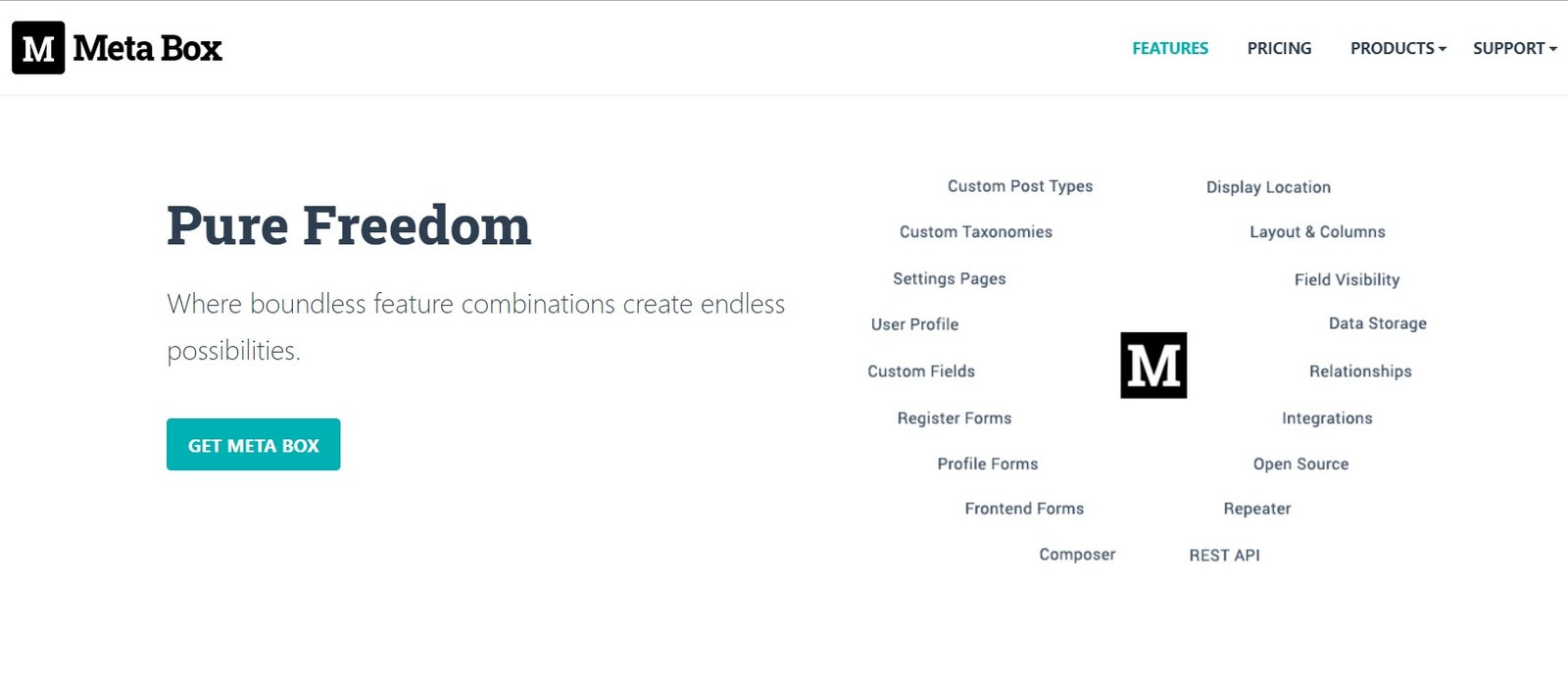
Meta Box is a free framework with a large catalogue of extensions. The free Meta Box Lite now includes the visual field builder, post types, taxonomies and relationships, plus integrations with Elementor, Divi, FacetWP and Yoast SEO. Bricks reads Meta Box fields natively.
- 40+ field types, and the formerly paid MB Builder is now free in Lite
- An Elementor integration that displays repeating (cloneable) groups
- Composer support on every paid plan, for developers who deploy with code
- Paid bundles add repeatable groups, conditional logic, front-end forms, custom tables and views
Price: the core is free. Paid bundles start at $49 a year for one site with 12 PRO extensions, including repeatable groups and conditional logic. The $99-a-year all-extensions bundle covers three sites.
A $299 lifetime licence covers three sites, and unlimited-site versions cost $149 or $229 a year, or $699 once. Renewals are charged at the regular price.
The catch: free Lite can’t add fields to taxonomy terms, users or settings pages. Those need a paid bundle.
- Best for: agencies and freelancers who build on Elementor, Bricks or Divi and want one framework across client sites.
- Skip it if: you need a few fields on one site (free ACF is simpler) or free custom tables (Pods).
Pods: best for large data sets on a budget
Pods creates post types, taxonomies, fields and relationships from one screen, and every field type is free, per its WordPress.org page. Its standout is storage: Advanced Content Types and optional table storage keep data out of WordPress’s meta tables. Its weak spot is repeating groups of fields.
- Advanced Content Types with their own tables, plus table storage for posts, media, users and comments
- Relationship fields to posts, terms, users and even other database tables
- Simple repeatable fields, but no built-in repeater for groups (a third-party add-on covers it)
- A Pods Form block for front-end create and edit forms
- Native support in Elementor Pro and Bricks, and Beaver Themer through a free add-on
Price: free. Optional Pods Pro add-ons come from SKCDEV, run by Pods’ lead developer. The Basic pack costs $49 a year for one site or $89 for unlimited sites. The Pro pack, which adds Divi, Oxygen and Beaver Builder integrations, costs $79 or $119.
- Best for: directories, catalogues and data-heavy sites on a budget.
- Skip it if: you need repeating groups, like team members with a name, photo and bio, without an add-on.
JetEngine: best for Elementor and Bricks listings
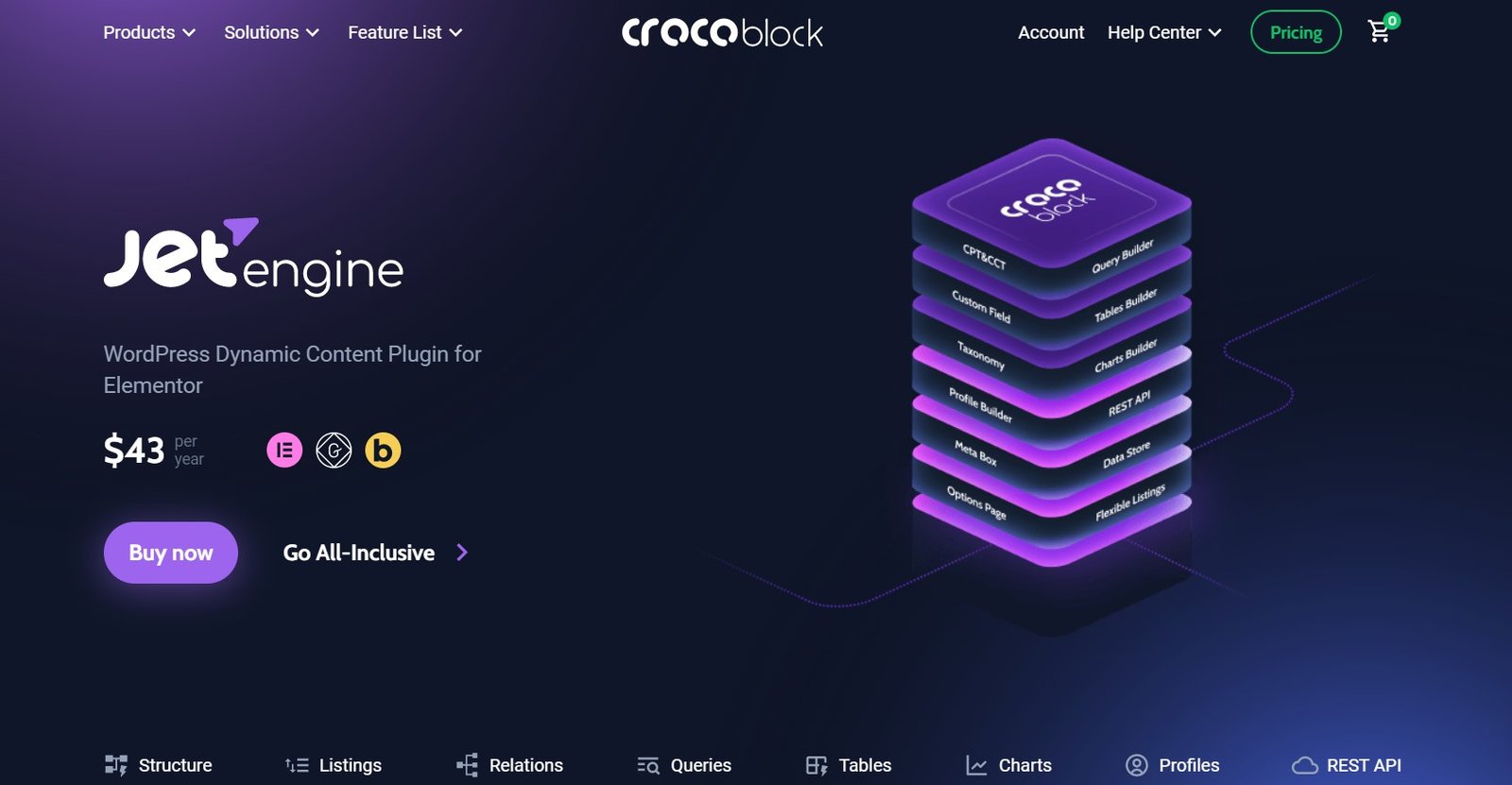
JetEngine is Crocoblock’s dynamic-content plugin, sold alone or in the bundle covered by our Crocoblock review. It handles post types, custom content types, meta boxes, options pages and relations, then displays them with listing grids, maps, calendars and a query builder. It works in Elementor without Elementor Pro, in the block editor and in Bricks.
- Custom content types stored in their own database tables
- One-to-one, one-to-many and many-to-many relations between posts, terms and users
- A Dynamic Repeater widget, so repeating data displays in Elementor and the block editor
- Profile Builder with front-end post submission, plus forms through JetFormBuilder
Price: $75 a year for one site or $169 for unlimited sites. The All-Inclusive bundle of 23 plugins costs $199 a year for one site, and Lifetime costs $999 once for unlimited sites. Renewals are charged at the standard price, so first-year discounts don’t carry over.
The catch: there’s no free version or trial, only a 30-day refund window. Crocoblock lists PHP 8.1 or higher as a requirement and recommends a 512 MB memory limit.
- Best for: directories, catalogues and booking sites built in Elementor, Bricks or the block editor.
- Skip it if: you only need fields for a theme you code yourself, or you’d rather skip the subscription (see our Crocoblock alternatives).
ACPT: a budget all-in-one with custom tables
ACPT (Advanced Custom Post Types) packs post types, 60+ field types, repeaters, relationships, forms and custom database tables into one paid plugin. It moves fast: five releases landed between 21 September and 8 October 2026, and several fixed features that earlier releases had broken.
- Repeater, flexible content and clone fields, plus two-way relationships
- Custom content types in their own tables, new in version 2.1.0
- A front-end form builder and a Gutenberg block generator
- Integrations with Elementor, Bricks, Breakdance, Divi and Oxygen, plus Block Bindings support
Price: $29 a year for one site, $49 for five sites or $99 for unlimited sites, per ACPT’s pricing page. Lifetime licences cost $99, $149 or $199 once, and every plan has a 30-day refund.
The catch: the $29 plan doesn’t list the page-builder integrations that the $49 and $99 plans include. Check before buying it for an Elementor or Bricks site. The free ACPT Lite on WordPress.org has five field types and was last updated in February 2025.
- Best for: budget builders who want ACF PRO-style fields and custom tables in one licence.
- Skip it if: stability matters more than new features on client sites. Let each release settle before you update.
CMB2: best code-first toolkit
CMB2 is a free developer toolkit: you define fields in PHP, not in an admin screen. It has been on WordPress.org since 2014 and was last updated on 9 October 2026 (version 2.13.4).
- Fields for posts, terms, users, comments and options pages
- Repeatable fields and repeatable groups at no cost
- Front-end forms through its API
- Bricks reads CMB2 fields natively
Price: free.
- Best for: developers who ship fields inside a theme or plugin.
- Skip it if: non-developers need to change the field setup. There’s no admin builder without a third-party add-on.
Carbon Fields: a lean library for theme developers
Carbon Fields is a free PHP library you add with Composer, not a plugin you install from the dashboard. It covers post, term, user, comment and theme-options fields, plus Gutenberg blocks. Releases are slow: per its GitHub releases, version 3.6.10 arrived in August 2026, about 14 months after 3.6.9.
- A Complex field for repeating groups and an Association field for relationships
- Containers for theme options, nav menu items and widgets
- Fields defined in code, so they live in version control
Price: free and open source.
- Best for: theme developers who want fields in code without a plugin dependency.
- Skip it if: you need an admin UI or quick fixes. Its WordPress.org plugin listing has been closed since 2019.
Toolset: only if you already run it
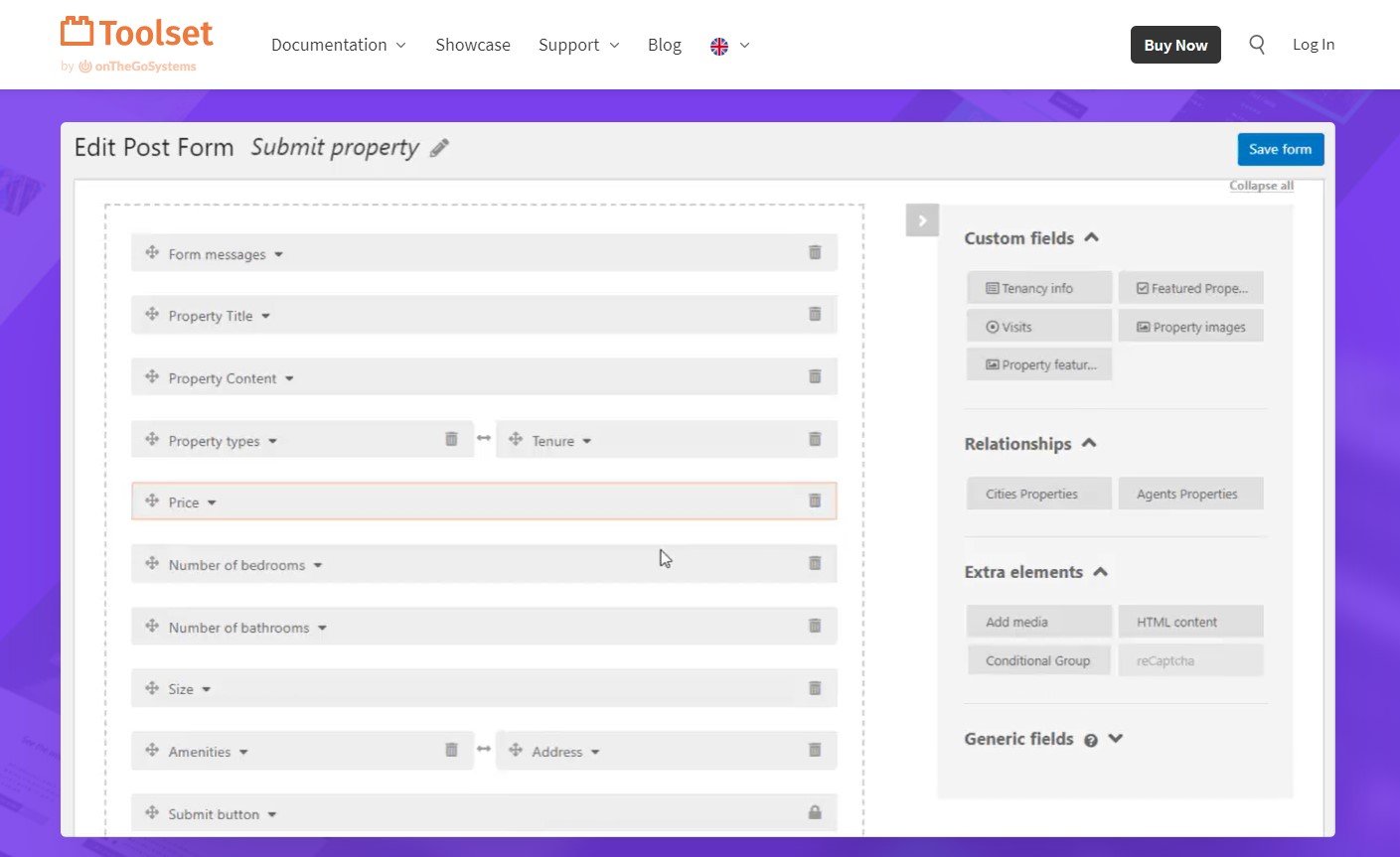
Toolset bundles post types, fields, repeatable field groups, relationships, templates, forms, access control and maps in one suite. It’s still maintained (Toolset Types was updated on 15 September 2026), but this year’s release notes are mostly compatibility work and fixes.
- Repeatable field groups and post relationships in every plan
- Front-end forms, access control and maps (Google and Azure)
- Native support in Elementor Pro, Divi and Bricks
Price: €69 for the first year, then €51 a year for one site. Three sites cost €149, then €111; unlimited sites cost €299, then €224, per Toolset’s pricing page. Unusually, renewals cost less than the first year, and there’s a 30-day refund.
- Best for: sites already built on Toolset.
- Skip it if: you’re starting a new build, since its development now centres on compatibility and fixes.
What most custom field plugin lists get wrong
They still recommend dead plugins. Custom Field Suite still turns up in roundups, including the old version of this one. WordPress.org closed it in August 2024 at its author’s request.
They assume your builder can show every field. Elementor’s own ACF documentation says repeater fields aren’t supported by its integration. If your Elementor design needs repeating rows, plan on JetEngine’s Dynamic Repeater widget or Meta Box’s Elementor integration.
They ignore SEO. SEO plugins only analyse custom-field text when an integration connects them.
Rank Math has a built-in ACF module (see our Rank Math review), Yoast offers a free ACF Content Analysis add-on, and Meta Box Lite includes a Yoast integration. Weighing SEO plugins too? Our Yoast SEO alternatives guide compares the main options.
They skip the exit cost. The expensive part of leaving isn’t your data, it’s the display layer. Listings and templates built in JetEngine or Toolset don’t travel, so leaving either one means rebuilding them.
They assume you need a plugin at all. Since WordPress 6.5, the Block Bindings API can show registered post meta inside core blocks. Registering each field takes code, but for two or three developer-managed fields, that can be enough.
How to choose a custom field plugin
Start with how you build, then follow the first line that matches you. Picking a theme at the same time, perhaps from our SaaS WordPress themes list? Settle the builder first, because it decides which plugins can read your fields.
- Elementor: Elementor Pro reads ACF, Pods and Toolset fields, but not ACF repeaters. For listings and repeating rows, add JetEngine or Meta Box. No Elementor Pro? The Plus Addons adds dynamic tags for ACF, Meta Box and JetEngine fields without it (see our Plus Addons review and more Elementor addons).
- Bricks or Divi: Bricks reads ACF, Meta Box, JetEngine, Pods, CMB2 and Toolset. Divi reads ACF and Toolset fields in its dynamic content. ACF is the safe choice for both.
- Block editor only: start with free ACF. Move to SCF when you need free repeaters, or to ACF PRO if you’d rather pay for vendor support and ACF Blocks.
- Several client sites: compare ACF PRO’s $149 licence for 10 sites, Meta Box’s $99 bundle for three sites (or $299 lifetime) and ACPT’s $99 plan for unlimited sites.
- Thousands of records to filter: pick a plugin with custom tables. Pods does it free; JetEngine, ACPT and Meta Box’s all-extensions bundle do it if you’re paying anyway.
- You write the theme yourself: CMB2 or Carbon Fields keep fields in code. ACF or SCF with Local JSON files works too.
Custom field plugin FAQs
Can you use ACF and Secure Custom Fields on the same site?
No. SCF’s readme on WordPress.org says installing it deactivates ACF and ACF PRO to avoid duplicate-code errors, the same way ACF PRO replaces free ACF. Because SCF is a fork that keeps ACF’s function names, templates usually carry over. Export your field groups from the Tools screen first, so you can roll back if something breaks.
Is ACF still free?
Yes. The free Advanced Custom Fields plugin is back under WP Engine’s account on WordPress.org and was last updated on 10 September 2026 (version 6.8.10). You only need ACF PRO for its paid fields and tools, and existing free sites update from the dashboard as usual.
What happens when an ACF PRO licence expires?
Your site keeps working. ACF’s licence documentation says an expired licence blocks creating new PRO fields, ACF Blocks and Options Pages, but existing ones stay editable and field data still displays everywhere. What you lose is updates, including security fixes, so renew or plan a move to SCF before that matters.
Do you lose data when you switch custom field plugins?
Usually not. Field values stay in your WordPress database, and Meta Box Lite includes free tools to migrate from ACF, Pods and Toolset. What breaks is anything that reads fields through the old plugin: get_field() calls in templates, builder dynamic tags and shortcodes. Budget time to rebuild those before you switch.
Is Secure Custom Fields safe to use?
It’s actively patched. Its changelog lists three security-hardening releases since late July 2026, tightening front-end forms, options page saves and REST access. Fixes arrive through WordPress.org like any other plugin update, so your normal update routine covers SCF.
Do you still need Custom Post Type UI?
Not with most plugins on this list. ACF, SCF, Meta Box Lite, Pods, JetEngine, ACPT and Toolset all register post types and taxonomies themselves. CMB2 and Carbon Fields only handle fields, so pair them with a few lines of registration code or a separate plugin such as Custom Post Type UI.
Can you add custom fields to WooCommerce products?
Yes. WooCommerce products are a post type, so ACF, SCF, Meta Box, Pods and the rest can attach fields to them. Showing those fields on product pages takes template code or a builder. JetEngine, Toolset and ACPT also list dedicated WooCommerce integrations if you want that wiring done for you.
Our verdict: which custom field plugin should you use?
There’s no single best custom field plugin, but there is a sensible default and a few clear exceptions.
- Stay on free ACF if your fields are text, images, dates and relationships, because PRO adds nothing you’d use.
- Choose Secure Custom Fields if you want repeaters and options pages without a yearly bill, and your builder passes a staging test.
- Buy ACF PRO if you’d rather pay $49 a year for vendor support and ACF Blocks, because SCF’s support comes from the community.
- Choose Meta Box if you build several client sites on Elementor, Bricks or Divi, because its free tier already works with those builders and its paid plans scale to unlimited sites.
- Choose JetEngine if you’re building a directory or listing site and want the display layer in the same plugin.
- Our pick for most readers: start with free ACF, and decide between ACF PRO and Secure Custom Fields when you need your first repeater.




[…] made by the team behind Meta Box, one of the plugins in our custom field plugins roundup. Pro’s schema builder can also pull values from custom […]